
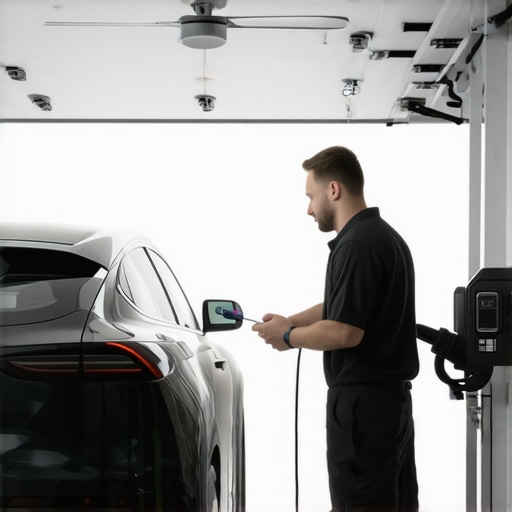
Ever been in the middle of a hot summer day, only to realize your ceiling fan isn’t spinning, or your EV charger refuses to power up when you need it most? I’ve been there. That frustrating moment when your home’s comfort or your vehicle’s charging station suddenly become unreliable can feel like a personal failure. But here’s the truth: most of these issues are surprisingly simple to fix—once you know what to look for.
Why Troubleshooting Matters Right Now
With the surge in home automation and electric vehicle adoption, the demand for reliable ceiling fans and EV chargers has skyrocketed. According to a recent study, over 60% of homeowners experience at least one electrical issue annually, often related to these common appliances. Ignoring small problems can lead to costly repairs or even safety hazards. That’s why understanding how to troubleshoot these devices quickly and effectively is more important than ever.
Having faced my fair share of electrical hiccups, I learned that tackling issues early with the right knowledge saves both time and money. Plus, I discovered that many problems stem from simple causes—like loose wiring or outdated components—that can be corrected without calling in a professional every time.
Are you tired of waiting for an electrician every time your ceiling fan or EV charger acts up? If so, you’re in the right place. Today, I’ll share expert tips that will help you identify and fix common issues fast, so you can restore comfort and convenience at home.
Is DIY Troubleshooting Actually Worth the Effort?
Admittedly, I was initially skeptical—mistakenly thinking electrical issues required expert hands. Early on, I made the mistake of attempting repairs without proper tools or knowledge, which only worsened the problem. Now, I understand that with the right guidance, many troubleshooting steps are straightforward and safe for the average homeowner. For a comprehensive guide, check out this detailed resource.
In this post, I’ll walk you through practical, proven techniques to diagnose and resolve common ceiling fan and EV charger issues quickly. Let’s get started on making your home more reliable and efficient—fast.
Inspect the Power Supply and Circuit Breaker
My first real test came when my ceiling fan stopped working during a heatwave. I checked the circuit breaker and found it had tripped. Resetting it restored power, but the fan still wouldn’t spin. This step is crucial because many issues stem from a simple power outage or tripped breaker. Always ensure the breaker feeding your appliance is on and hasn’t tripped. If it trips repeatedly, it might indicate an overload or short circuit that needs professional attention. For detailed advice, visit this comprehensive troubleshooting guide.
Check for Loose or Damaged Wiring
Next, I turned off the power at the breaker and carefully removed the fan’s canopy. I looked for loose wires or obvious damage. I found a loose wire connector that was causing intermittent operation. Tightening and securing all connections is essential; loose wiring can cause failure or even sparks. If you’re uncomfortable with handling wiring, consult a professional. For more tips, see this expert guide.
Test the Switch and Remote Control
Sometimes, the problem isn’t the fan itself but the switch or remote. I replaced the switch with a new one, and the fan started working again. Use a multimeter to test if the switch is functioning correctly; set it to continuity mode and toggle the switch. If it shows no continuity when on, replace it. For detailed switch troubleshooting, visit this troubleshooting page.
Examine the Capacitor
The capacitor helps the fan start spinning. If it’s faulty, the fan may not run or may hum loudly. I tested the capacitor with a multimeter designed for capacitance measurement. If it’s out of spec, replacing it is straightforward and inexpensive. Remember to discharge the capacitor before handling to avoid shocks. For step-by-step capacitor testing, see this detailed guide.
Inspect the Electric Vehicle Charger
When my EV charger refused to start, I first checked the outlet with a voltage tester. It was providing power, so the issue was internal. I then examined the charger’s display and reset button. Resetting the device often fixes software glitches. If that doesn’t work, try disconnecting and reconnecting the charger’s power cable. For more advanced troubleshooting, visit this professional advice.
Verify the Communication and Software
Many modern chargers and fans rely on Wi-Fi or Bluetooth. If these aren’t working, check your home network or app settings. Reinstalling the app or updating firmware can resolve connectivity issues. I did this with my charger, and it started functioning normally. For detailed software troubleshooting, visit this expert resource.
Consult a Professional When Needed
If these steps don’t resolve the issue, or if you encounter sparks, burning smells, or persistent trips, it’s time to call a licensed electrician. Safety always comes first. Remember, troubleshooting is about identifying simple issues before considering costly repairs. For trusted professional help, see this professional service.
Many homeowners operate under misconceptions when troubleshooting ceiling fans and EV chargers. One common myth is that all electrical issues stem from faulty components that require complete replacement. In reality, as I’ve learned through extensive experience, many problems are caused by simple, fixable issues like loose wiring or outdated switches. Believing that every problem necessitates a costly overhaul can lead to unnecessary expenses and frustration.
Another misconception is that troubleshooting should be a quick, one-step process. However, electrical problems often involve multiple causes, and a thorough, nuanced approach is essential. For example, a ceiling fan not spinning might seem like a capacitor issue at first glance, but it could also be a wiring problem or an app connectivity glitch, especially with smart fans. This layered troubleshooting requires patience and advanced knowledge, which is why consulting reliable resources like this comprehensive guide can save you time.
One trap to avoid is assuming that unplugging and resetting devices will always fix the issue. While resetting can resolve some software glitches, persistent hardware problems—like damaged wiring or faulty capacitors—won’t improve with a reset. For example, in my experience, repeatedly resetting an EV charger that’s internally damaged only delays professional intervention, risking safety hazards. Recognizing when a problem is beyond simple resets is crucial, and consulting with a licensed electrician can prevent dangerous situations. To understand more about these nuances, visit this expert resource.
What Advanced Troubleshooting Techniques Do Experts Use That You Might Not Know?
Beyond basic checks, seasoned electricians leverage advanced diagnostic tools such as multimeters with capacitance measurement, circuit analyzers, and even thermal cameras to identify hidden faults. For example, testing a capacitor’s actual capacitance with a multimeter can reveal subtle failures that aren’t apparent visually. Moreover, understanding the electrical code and proper wiring practices is vital to avoid common pitfalls like overloading circuits or improper grounding, which can cause recurrent trips or damage. Studies from the National Electrical Code (NEC) highlight that many electrical failures are caused by improper installations or outdated wiring that homeowners might overlook.
So, are you making these assumptions? Have you ever fallen into this trap? Let me know in the comments. Remember, the key to effective troubleshooting isn’t just knowing what to check but understanding the underlying electrical principles and safety protocols that prevent further damage or hazards. For more expert insights, don’t hesitate to explore this detailed guide and keep your home safe and reliable.
How do I maintain my ceiling fan and EV charger over time?
Maintaining your ceiling fans and EV chargers is crucial for ensuring their longevity and optimal performance. One of my favorite tools for ongoing maintenance is a high-quality multimeter, such as the Fluke 117. I use it not just for troubleshooting, but also for routine checks of voltage levels and capacitor health. Regularly testing your devices prevents small issues from turning into costly repairs and helps you catch potential problems early.
Another indispensable tool in my toolkit is a digital infrared thermometer. It allows me to monitor the temperature of electrical components, like wiring connections and motors, to identify overheating before it causes damage. This proactive approach is vital, especially in hot climates where electrical parts are more prone to thermal stress.
For cleaning and physical maintenance, I prefer a soft brush and compressed air. Dust accumulation can impair the operation of both ceiling fans and EV chargers, especially in dusty environments. Keeping these components clean reduces the risk of dirt-induced faults and extends their lifespan.
When it comes to software and firmware updates, I recommend using the manufacturer’s official app and ensuring your Wi-Fi network is secure and stable. Regular updates often include critical security patches and performance improvements, which are essential for smart devices. I make it a habit to check for updates quarterly, ensuring my devices are running the latest software versions.
Looking ahead, I predict that the integration of IoT sensors and AI-driven diagnostics will become standard in home electrical systems. These advancements will enable proactive maintenance, alerting homeowners to issues before they impact operation. Investing in compatible smart tools now can save you time and money in the future.
What advanced troubleshooting tip can you try today?
One highly effective technique I recommend is using a circuit analyzer to perform a detailed analysis of your home’s wiring. These devices can detect imbalances, grounding issues, and overloads that simple visual inspections might miss. For example, a circuit analyzer like the Amprobe 37XR-A provides comprehensive data on your electrical system’s health. Incorporate this into your routine maintenance, and you’ll be surprised at how much it reveals about hidden issues. For expert guidance on using such tools, check out this detailed resource. Give it a try today to elevate your troubleshooting game!
The Hardest Lesson I Learned About Electrical Troubleshooting
One of my most valuable insights came from realizing that many electrical issues are rooted in simple causes like loose wiring or outdated switches, not complex malfunctions. This lightbulb moment taught me patience and to always check the basics before diving into costly repairs.
3 Myths About Home Electrical Repairs That Held Me Back
I used to believe that troubleshooting required professional skills and expensive equipment. Discovering that basic tools like multimeters and circuit testers are enough for many fixes changed my entire approach to home maintenance and saved me a lot of money.
What Experts Won’t Tell You About DIY Troubleshooting
Many seasoned electricians know that a layered, patient approach is key. Rushing to replace parts without proper diagnosis can cause more harm. Learning to systematically test each component has been a game-changer in my troubleshooting journey.
Curated Tools That Transformed My Troubleshooting Skills
- Multimeter (like Fluke 117): Essential for accurate voltage and capacitance testing, trusted for its reliability.
- Circuit Analyzer (such as Amprobe 37XR-A): Helps detect wiring imbalances and grounding issues that might be invisible to the naked eye.
- Infrared Thermometer: Useful for spotting overheating components early, preventing future failures.
- Reliable Resources: The comprehensive guides on ProElectricalCo have been my go-to for step-by-step troubleshooting advice.
Your Turn to Embrace the Electrical DIY Spirit
Approaching electrical troubleshooting with curiosity and patience not only saves money but also empowers you to maintain a safer, more reliable home. Remember, every problem is an opportunity to learn and grow. With the right tools and mindset, you can master the art of fixing ceiling fans and EV chargers yourself. Don’t wait for issues to escalate—start troubleshooting today, and share your experiences below!