
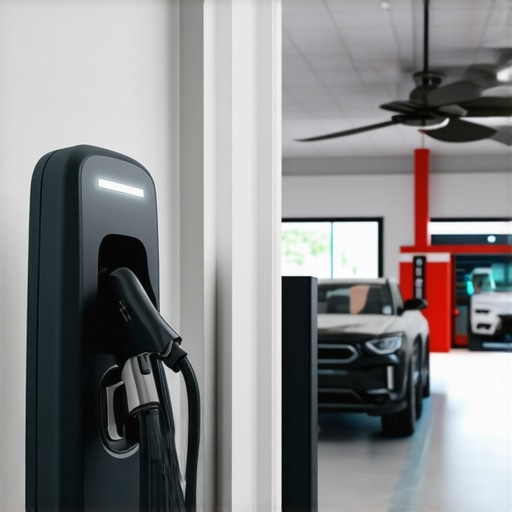
Ever had that frustrating moment when your EV charger suddenly stops working just when you need it most? Or found your ceiling fan spinning lazily, despite being turned on? I remember the first time I faced this dilemma — thinking I had to call a professional immediately, only to realize that many of these issues are simpler to fix than I thought. That lightbulb moment changed everything for me, and I bet it can do the same for you.
Why Solving These Problems Fast Matters
In our busy lives, waiting around for repairs isn’t just inconvenient — it can also cost you extra money or even cause safety hazards. A malfunctioning EV charger can leave you stranded, especially if you rely on it daily. Similarly, a faulty ceiling fan can turn your comfort zone into a sauna in summer or a chilly room in winter. The good news? With the right troubleshooting tips, you can often fix these issues yourself, saving time, money, and stress. Plus, knowing a few expert tricks means you won’t panic when things go wrong.
Is DIY Fixing of EV Chargers and Fans Really Worth It?
Early on, I made the mistake of assuming that only professionals could handle these repairs. Turns out, many problems are straightforward, and with guidance from trusted sources like this comprehensive electrician guide, you can confidently troubleshoot common issues. The key is understanding what’s likely causing the problem — whether it’s a wiring glitch, a blown fuse, or a loose connection — and knowing the quick fixes that work every time.
Have you faced these kinds of electrical hiccups? If so, keep reading. I’ll walk you through proven troubleshooting steps that can help you get your EV charger and ceiling fan back in action in no time. Remember, safety first! Always turn off power before attempting any repairs, and don’t hesitate to call a professional if things seem beyond your comfort zone.
Check the Power Source First
Pull out a simple voltage tester or multimeter and verify the outlet or circuit supplying your device. I remember one weekend when my ceiling fan refused to spin, and after a quick test, I discovered a tripped breaker. Resetting it instantly restored power and saved me a call to an electrician. For detailed guidance on safe testing, visit this troubleshooting guide.
Inspect and Reset Circuit Breakers
Sometimes, electrical issues are as simple as a breaker flip. Locate your home’s main panel, identify the breaker for the room or device, and flip it off then on again. When my EV charger stopped working unexpectedly, a quick reset solved the problem. Remember, always turn off the device before resetting and avoid resetting breakers repeatedly without understanding the cause. For a comprehensive approach, see this electrician guide.
Examine Wiring and Connections
Loose or corroded wiring can cause intermittent or complete failure. Turn off the power, then carefully remove the cover panels of your fan or charger. Check for loose wires, burn marks, or corrosion. I once found a loose connection behind my ceiling fan’s switch, which caused flickering. Tightening the wire nuts and securing connections was all it took. Use insulated tools and follow safety protocols. For detailed wiring tips, visit this troubleshooting resource.
Test the Components Individually
Identify whether the problem lies with the device itself or its components. For instance, if your EV charger is unresponsive, try plugging it into a different outlet or testing with another charger. Similarly, for a fan, replace the remote batteries or test the pull chain switch. I once swapped out a faulty capacitor in my fan, which instantly restored airflow. This step can often isolate the problem without needing replacement parts. For component-specific tips, see this expert guide.
Reset and Calibrate Your Devices
Many modern EV chargers and ceiling fans have reset buttons or calibration procedures. Follow the manufacturer’s instructions to perform a reset. In my case, holding down the reset button on the charger for 10 seconds solved a communication error. These simple resets can fix software glitches that cause malfunctions. Consult your device’s manual or this resource for detailed steps.
When to Call a Professional
If after these steps your device still malfunctions or if you encounter exposed wiring or burnt components, stop troubleshooting and contact a qualified electrician. I learned this lesson the hard way when I attempted to replace a circuit board and ended up with a short circuit. Safety always comes first—visit this professional electrician guide for when to seek expert help.
Many DIY enthusiasts and homeowners alike fall into misconceptions when troubleshooting electrical issues with EV chargers and ceiling fans. These myths can lead to wasted time, unnecessary repairs, or even dangerous situations. Let’s dig deeper into what most people get wrong and explore some advanced nuances that can save you headaches in the long run.
Why Replacing Parts Without Proper Diagnosis Is a Mistake
One of the most common pitfalls is assuming that a faulty component is the cause of every problem. For example, if your EV charger isn’t working, many jump straight to replacing the charger or its circuit board. However, often the issue lies elsewhere — such as a damaged outlet, a tripped breaker, or loose wiring. Rushing to replace parts without proper testing can be costly and ineffective. Instead, focus on isolating the problem by testing each component and connection. For detailed guidance, visit this expert troubleshooting guide.
The Oops Factor: Ignoring Safety Protocols
Another critical mistake is neglecting safety procedures. Many assume that turning off the main power isn’t necessary when inspecting wiring or components. This can lead to electric shock or short circuits. Always double-check that power is disconnected before opening any device or panel. Using insulated tools and wearing protective gear is essential. Remember, safety should never be compromised — see this safety-focused resource for more tips.
Advanced Question: How Can Software Glitches Affect Modern EV Chargers and Fans?
Modern devices often include microcontrollers and software that control their operation. A common misconception is that hardware issues are always the culprit. In reality, firmware bugs or communication errors can cause malfunctions. For instance, a firmware update might resolve connectivity problems or error codes that seem hardware-related. Performing a reset or firmware reinstallation can sometimes fix issues without replacing parts. For expert advice, check this troubleshooting resource. It’s worth noting that some issues may require professional diagnostics, especially if software updates don’t resolve the problem.
Have you ever fallen into this trap? Let me know in the comments. Recognizing these nuances ensures you’re not just fixing symptoms but addressing root causes—saving time, money, and safety in the process.
How do I keep my EV chargers and ceiling fans running smoothly over time?
Maintaining your electrical devices like EV chargers and ceiling fans is crucial to ensure they stay efficient and reliable. Over the years, dust, debris, and regular wear can impact performance, so having the right tools and a consistent maintenance routine makes all the difference.
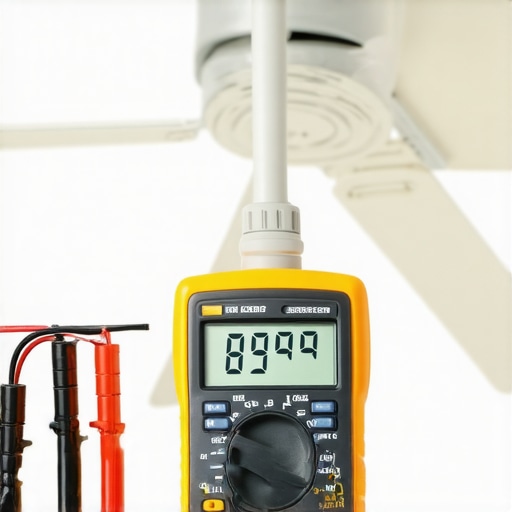
First, invest in a quality multimeter — I personally prefer the Fluke 117 because of its durability and accuracy. It allows me to quickly test voltage, continuity, and check for wiring issues without guesswork. Regularly measuring the voltage at outlets or connections helps catch problems early before they escalate. Additionally, a non-contact voltage tester is invaluable for quick safety checks, especially before opening panels or inspecting wiring.
For cleaning and inspecting your devices, a soft brush and compressed air are must-haves. Dust buildup can cause overheating or poor connections, so I routinely use compressed air to blow out vents and switch panels. When inspecting wiring, I always use insulated screwdrivers to prevent accidental shorts or shocks. If you notice corrosion or loose wires, tightening or replacing connectors with high-quality crimpers ensures longevity.
Software updates are becoming increasingly relevant, especially for smart or Wi-Fi-enabled EV chargers and fans. Manufacturers often release firmware updates to fix bugs or improve functionality. I recommend subscribing to device alerts or checking periodically for updates via the manufacturer’s app or website. For firmware reinstallation, a USB drive or the device’s dedicated software makes the process straightforward — but always follow the instructions carefully to avoid bricking your device.
In the future, I predict smarter diagnostic tools will emerge, integrating AI to analyze device performance and predict failures before they happen. This will help homeowners and technicians proactively maintain systems instead of reactive repairs. For now, regular checks with reliable tools and keeping firmware up to date are your best bets for long-term success.
What’s the best way to keep your devices in top shape?
Consistent upkeep is key. Schedule monthly inspections, clean vents and contacts, and verify connections. If you notice unusual behavior, use your multimeter and update firmware promptly. Also, consider investing in a surge protector rated for your devices — this can prevent damage from power fluctuations, extending their lifespan.
Remember, a little preventative maintenance saves you time and money down the road. For a detailed routine tailored to modern devices, check out this guide and try out one of the recommended diagnostic tools today to see the benefits firsthand.
The Hardest Lesson I Learned About Electrical Repairs
One of the biggest realizations I had was that most electrical issues with EV chargers and ceiling fans aren’t as complex as they seem. I used to think I needed a professional every time something went wrong, but I learned that patience and the right approach can save a lot of money and hassle. The key is to start with simple checks before diving into complicated repairs, which can often be unnecessary. This lesson has made me more confident and less reliant on costly service calls.
How to Pick Tools That Make Repairs Easier
My go-to toolkit includes a reliable multimeter like the Fluke 117, which has been a game-changer. It helps me quickly verify voltage and continuity, catching problems early. A non-contact voltage tester is also invaluable for safety checks. Investing in quality tools means I spend less time troubleshooting and more time fixing, giving me peace of mind that I won’t accidentally cause more issues. These tools are essential for anyone serious about DIY electrical troubleshooting.
Why Safety Should Always Be Your Top Priority
Ignoring safety protocols was a costly mistake I once made. Always turn off power at the breaker before inspecting or repairing devices. Use insulated tools and wear protective gear to avoid shocks or short circuits. Rushing or skipping safety steps almost always leads to bigger problems or injuries. Remember, no repair is worth risking your safety—consult this trusted resource for safety tips that keep you protected.
Realize When It’s Time to Call a Pro
Despite my best efforts, I once damaged a circuit board by attempting a repair beyond my skill level. That taught me to recognize my limits. If you encounter burnt wiring, exposed components, or persistent issues after troubleshooting, don’t hesitate to contact a professional. Sometimes a quick call to an electrician can prevent accidents and save you from costly damages. Trust your judgment and prioritize safety over DIY pride. For guidance on when to seek expert help, visit this comprehensive guide.
I recently faced a similar issue with my ceiling fan—turns out the culprit was a loose connection behind the switch plate. Once I tightened the wiring, it worked like new! This article really highlights how often simple fixes can solve what seems like complicated problems. I particularly agree with the emphasis on safety; I learned the hard way to always turn off power before inspecting or tinkering with electrical devices. Has anyone experimented with firmware updates for smart ceiling fans or EV chargers? I’ve heard that sometimes software glitches are the root cause and can be fixed through a simple reset. It’s impressive how much DIY troubleshooting can save both time and money while also building confidence. Do you think more homeowners will start handling minor electrical issues themselves as devices become more tech-savvy and user-friendly? It seems like this knowledge could make a big difference in emergency situations when quick fixes are needed.