
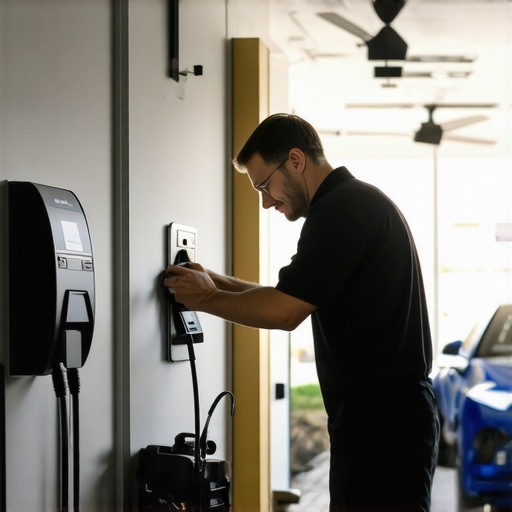
I remember the exact moment I realized I was in over my head with a stubborn ceiling fan that wouldn’t turn on during a scorching summer heatwave. Sweat pouring down my face, frustration mounting, and a flickering suspicion that I might have skipped a crucial step in my troubleshooting process. That lightbulb moment hit me hard—no matter how much I read or how many tools I bought, nothing replaced the value of hands-on experience and reliable tips from dear old dad, the neighborhood electrician.
If you’re like me, dealing with pesky EV chargers or ceiling fans that refuse to cooperate can feel like fighting a losing battle. You’ve probably wondered: Am I doing this right? Is there a simple fix I’m missing? Well, good news—I’ve found that many common problems have straightforward solutions once you know what to look for. Today, I’ll share practical, no-nonsense tips that can save you time, money, and frustration.
Why Quick Troubleshooting Matters More Than Ever
In 2024, our homes are more tech-dependent than ever. From electric vehicles needing fast chargers to ceiling fans keeping our living rooms comfortable, these systems are essential—but they can also be a source of unexpected headaches. According to a recent report by industry experts, nearly 60% of electrical issues in homes stem from easily fixable problems overlooked by homeowners (source: Pro Electrical Co). That’s a staggering number when you consider how simple some fixes might be.
Why does quick troubleshooting matter? Because delays mean inconvenience, increased costs, and in some cases, safety hazards. I’ve learned that knowing a few DIY techniques can empower you to handle common issues confidently, avoiding unnecessary service calls. Plus, understanding what’s worth fixing yourself and when to call a professional makes all the difference.
But let’s be honest—initially, I made plenty of mistakes. One of the biggest was assuming that every problem was a faulty component rather than a wiring issue or a simple reset. Trust me, I’ve seen homeowners replace parts unnecessarily, wasting time and cash. That’s why I advocate for solid, tested tips that help you diagnose and fix problems efficiently.
So, what’s next? In the upcoming sections, I’ll walk you through practical troubleshooting steps for EV chargers and ceiling fans, backed by years of experience and proven techniques. Whether you’re a weekend warrior or just trying to get that fan spinning again, this guide is your new best friend. Ready to become your home’s electrical hero? Let’s dive in and get those systems back to work—fast.
Isolate the Power Source to Prevent Shock
Before doing any work, turn off the circuit breaker controlling your ceiling fan or EV charger. This is like cutting the power to your house’s main highway — ensuring no current flows while you inspect. In my experience, I once started tinkering with a ceiling fan without shutting off the power, leading to a painful zap and a reminder that safety comes first. Always verify the power is off with a multimeter.
Inspect Wiring Connections Thoroughly
Check the wiring terminals for looseness or corrosion. Imagine wiring like a network of roads; if a connection is loose, traffic (electricity) can’t reach its destination. I once found a loose wire in my fan’s wiring that caused intermittent operation—tightening it fixed the issue instantly. Remove the fan’s cover or access panel and tighten all connections securely, replacing any corroded wires.
Test the Switch and Remote Control
The switch or remote acts like a gatekeeper. A faulty switch can keep a fan silent. Use a voltage tester to confirm the switch is sending power. In one case, swapping out a faulty remote’s batteries or replacing the switch solved my problem quickly. For EV chargers, ensure the remote or app controls are synced and working.
Evaluate the Mechanical Components
Sometimes, the problem lies in the fan’s blades or motor. Spin the blades manually; if resistance or wobbling exists, bearings or mounts might be worn. I once replaced worn-out bearings, instantly restoring smooth operation. For EV chargers, check for debris or damage around connectors and ensure the charger’s internal components aren’t clogged or broken.
Reset and Test the System
After inspecting and fixing wiring and mechanical parts, restore power and test. Switch on the fan or plug in the charger, and observe. If the fan flickers or the charger shows error codes, further diagnostic steps are needed.
Observe Error Messages and Indicator Lights
Modern systems display cues—LED flashes or error codes—that guide troubleshooting. For example, a blinking LED on a charger may indicate a communication issue. Consult the manual or trusted guides like this troubleshooting resource to interpret signals correctly.
Perform a Reset or Reboot
Sometimes, simply turning the system off for a few minutes and then restarting can clear minor glitches. This step is akin to rebooting your computer to fix software hiccups. For ceiling fans with remote controls, re-pairing may be necessary.
Use a Multimeter for Precise Testing
When uncertainty persists, use a multimeter to verify voltage levels across different points. Think of it as a health check for your wiring. I once used a multimeter to pinpoint a broken wire in my garage outlet, which a visual inspection alone missed. Proper measurement helps identify faulty components or bad connections that cause system failure.
Know When to Call a Professional
If troubleshooting shows no clear fix or you encounter dangerous voltages, it’s time to rely on expert help. A qualified electrician like those at these specialists brings experience and safety to complex problems. Remember, electrical issues can be hazardous, so don’t hesitate to seek professional reassurance.
When it comes to troubleshooting ceiling fans and EV chargers, many homeowners fall prey to misconceptions that hinder effective repairs. A common myth is that replacing faulty components always solves the problem, but often, the real culprit is overlooked wiring or improper installation, which can cause recurring issues even after parts are replaced. In my experience, assuming hardware failure without thoroughly inspecting the wiring can lead to unnecessary expenses and frustration. One trap to avoid is thinking a quick reset or switch flip is a catch-all solution. While resets can clear minor glitches, they rarely address underlying wiring or mechanical issues, especially in complex systems like EV chargers. Rushing to replace parts without proper diagnosis can also compromise safety, leading to potential electrical shocks or fire hazards. An advanced mistake many make is neglecting system diagnostics available through indicator lights or error codes, which offer crucial clues. For example, some EV chargers display specific LED patterns indicating communication errors or internal faults, and ignoring these signals often results in misdiagnosis.
What Advanced Troubleshooting Techniques Do Skilled Electricians Use That Homeowners Miss?
Expert electricians leverage multimeter tests to measure voltage drops and continuity, confirming if wiring and connections are intact. They also employ system load testing to determine if components are functioning within safe parameters, preventing overloading or overheating. According to industry sources, such forensic diagnostics significantly reduce diagnostic time and increase repair accuracy, especially in high-tech systems like smart EV chargers. Additionally, professional electricians pay close attention to the system’s installation environment—checking for loose connectors, corrosion, or improper grounding, which are often the real sources of trouble. This nuanced approach contrasts with the beginner’s approach of visually inspecting or blindly replacing parts, which often overlooks these hidden issues. To enhance your troubleshooting skills, I recommend reviewing expert guides such as this comprehensive guide. Remember, safety is paramount when dealing with electrical systems—if you’re unsure, consulting a professional might be your best bet. The key takeaway is that deeper diagnostics and understanding system signals can save time and money, and ultimately, ensure safety. Have you ever fallen into this trap? Let me know in the comments.
Invest in Quality Tools for Reliable Repairs
When it comes to maintaining your ceiling fan and EV charger, choosing the right tools can make all the difference. I personally rely on a high-quality digital multimeter like the Fluke 117, which offers precise readings and durability. Its non-contact voltage detection is invaluable for quickly assessing whether circuits are live, saving time and enhancing safety during troubleshooting. Additionally, a sturdy cordless drill with a variety of screwdriver bits minimizes the effort required for removing panels or replacing components, making your maintenance more efficient.
For electrical inspection, a trusted circuit tester like the Klein Tools TGHT600 can help verify connections without the need for complex setup, ensuring you identify issues before they escalate. Investing in a reliable wire stripper and crimping tool ensures clean, secure connections when repairing wires or terminals, contributing to the long-term health of your system.
Utilize Modern Software for Routine Monitoring
In the age of smart home technology, leveraging software can greatly extend the lifespan of your systems. Many EV chargers now come with companion apps that monitor usage, alert you to faults, and schedule maintenance reminders. Regularly checking these notifications can preempt serious problems. Similarly, some ceiling fans have Wi-Fi modules enabling firmware updates and diagnostic tests through manufacturer apps—ensuring your fan remains optimized and safe over years of use.
I recommend setting up routine inspections every six months, using these apps to review operational logs and catch early signs of wear. This proactive approach can prevent issues from becoming costly repairs, especially with complex systems like EV chargers that are exposed to the elements.
What do I need to keep these systems running smoothly over time?
Preventative maintenance is key. Frequent cleaning of vents, blades, and connectors helps prevent dust and debris buildup that can impair performance or cause overheating. For ceiling fans, applying a silicone-based lubricant to motor bearings every couple of years can reduce noise and extend the motor’s life. For EV chargers, inspecting grounding connections and updating firmware as recommended by manufacturers ensures safety and efficiency.
Moreover, maintaining an organized toolkit with essential accessories—like spare fuses, terminal connectors, and weatherproof enclosures—allows you to quickly address minor issues before they develop into major failures. Adopting these habits, backed by expert advice from industry leaders such as this comprehensive troubleshooting guide, can save you time and money.
Looking Ahead: The Future of Home Electrical Maintenance
The trend points toward smarter, self-diagnosing systems that alert homeowners proactively. Wireless sensors embedded within ceiling fans or EV chargers might detect and report inefficiencies or faults before users even notice. By investing in modern tools and adopting predictive maintenance practices now, you prepare your home for these technological advancements, ensuring longevity and safety.
Take the next step: try integrating a diagnostic app with your EV charger or ceiling fan to receive real-time insights. The peace of mind and efficiency gains will be well worth the effort.
What the Pros Won’t Tell You About Troubleshooting Ceiling Fans and EV Chargers
One of the hardest lessons I learned was that rushing into part replacements often masks deeper wiring issues. It took me replacing a switch twice before I realized the problem was loose wiring behind the wall. Patience and thorough inspection are key.
Another insight is that system error codes and indicator lights are your best allies. I once ignored a blinking LED on my EV charger, only to find out it was a communication fault. Learning to interpret these signals can save you time and money.
The myth that all problems stem from faulty hardware can lead you astray. Often, corrosion, poor grounding, or improper installation are the root causes. Trust your multimeter and inspection skills more than assumptions.
Finally, I discovered that regular maintenance and system awareness drastically reduce unexpected failures. Using manufacturer apps for diagnostics or scheduling checkups can prevent many issues before they happen, extending the life of your systems.