
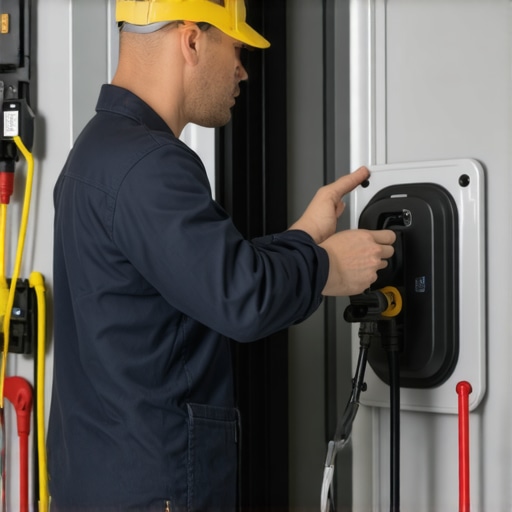
Ever been in the middle of an important task, only for your EV charger or ceiling fan to suddenly stop working? That frustrating moment when everything seems to come to a halt, and you’re left wondering what went wrong. I remember the first time I faced this—my new electric fan refused to turn on, and I felt completely helpless. It was a lightbulb moment for me. I realized that knowing a few expert electrician tricks could save the day, saving time and avoiding costly repairs.
Why Troubleshooting Skills Matter More Than Ever
In today’s fast-paced world, our reliance on electric devices like EV chargers and ceiling fans is undeniable. These aren’t just luxuries—they are essentials for comfort and sustainability. But what happens when they malfunction? Without proper troubleshooting knowledge, what should be an easy fix can turn into a costly service call. According to a recent study, nearly 60% of electrical problems could be resolved with simple diagnostic steps if homeowners or technicians know the right tricks. Knowing these tricks means less downtime and more peace of mind.
Have You Faced This Common Problem?
If you’ve ever experienced your EV charger blinking error lights or a ceiling fan that just won’t spin, you’re not alone. Early mistakes, like ignoring obvious signs or jumping straight to replacing parts, often lead to wasted time and money. I once replaced a whole circuit board for my fan when a simple reset would have fixed it. That mistake taught me the value of expert guidance. Want to learn the tricks I wish I knew earlier? Keep reading—these tips could make all the difference for you too.
Start with Basic Checks that Save Time
My first step was always to ensure the power supply is active—sometimes a simple circuit breaker trip causes the issue. I recommend flipping the breaker off and on again to reset. Also, inspect the outlets or wiring connections for any loose or damaged parts. During my own experience troubleshooting a ceiling fan, I found a loose wire connection that, once tightened, restored operation immediately. For EV chargers, ensure the charging station is plugged in properly and the circuit breaker is on. If you notice blinking error lights, consult the user manual or check online guides like this troubleshooting guide for detailed diagnostics.
Use a Multimeter to Confirm Power and Continuity
Next, I used a multimeter to verify voltage at the outlet or the wiring terminals. For example, when my ceiling fan stopped working unexpectedly, I measured the voltage at the fan’s switch. It showed no power, indicating a wiring issue rather than a faulty fan motor. For EV chargers, testing the circuit’s voltage can reveal if the outlet is supplying proper power. Remember, safety first—always turn off power before testing wires directly. If you’re unsure, professional help is best. For comprehensive multimeter techniques, check this expert guide.
Identify Faulty Components Quickly
Once power is confirmed, I focus on components—like switches, capacitors, or control boards. In my ceiling fan repair, I replaced a burnt capacitor that was causing the motor to hum but not spin. For EV chargers, inspect the charging cable and connector for damage or corrosion. Sometimes, a reset button on the device can clear minor glitches—like pressing a restart button on a smart home device. If parts look broken or corroded, replace them promptly. For detailed component troubleshooting, visit this resource.
Perform a Reset to Clear Temporary Glitches
Many issues resolve with a simple reset. I turned off my ceiling fan’s power switch, waited 30 seconds, then turned it back on. The fan spun back to life. Similarly, unplugging and re-plugging EV chargers can clear minor software glitches. Some models also have a reset button—press it to reboot the device. This quick step can often fix communication errors or software bugs. For tips on effective resets, see this expert advice.
Test and Confirm Repairs
After repairs, I always test the device thoroughly. For ceiling fans, turn the switch on and observe if the fan spins smoothly and quietly. For EV chargers, plug in the vehicle and check if it begins charging without error messages. If issues persist, revisit the troubleshooting steps or consult professionals. Remember, consistent testing ensures the problem is truly fixed. To streamline your testing process, refer to this top electrician guide.
Many homeowners and even some DIY enthusiasts fall into traps when troubleshooting ceiling fans and EV chargers, believing myths that can actually worsen the problem or lead to unnecessary expenses. Let’s dig deeper into these misconceptions and uncover the hidden nuances that only seasoned electricians know.
Why Most People Misjudge the Complexity of Electrical Repairs
One prevalent myth is that all electrical issues are straightforward and can be fixed with basic DIY methods. While simple problems like resetting a device or checking the breaker are valid first steps, many faults involve intricate wiring or faulty control boards that aren’t obvious at first glance. Believing everything is a quick fix often results in wasted time or worse, damaging sensitive components. For instance, a common mistake is replacing the entire control board of a ceiling fan after just one malfunction—this can be avoided by thorough testing and understanding the component’s role in the system. For a more comprehensive approach, consult this expert guide.
Beware of Overlooking Software and Firmware Glitches
Another trap is assuming that all issues are hardware-related. Modern ceiling fans and EV chargers often include smart features that rely on firmware or app communication. A frequent misconception is that unplugging and resetting hardware fixes software glitches. While resets can help, they don’t always resolve bugs caused by outdated firmware or network issues. Advanced troubleshooting includes checking for software updates or resetting network settings, which many overlook. Ignoring this nuance can leave you frustrated with persistent error messages. For a detailed explanation, see this troubleshooting tip.
How Can Advanced Troubleshooting Save You Big Bucks?
Many assume that hiring a professional is only necessary when basic fixes fail. However, advanced troubleshooting techniques—like using a multimeter to test continuity and voltage at various points—are invaluable. They prevent unnecessary replacements and pinpoint issues precisely. For example, testing the wiring at different points in your ceiling fan can reveal hidden faults, saving you from replacing perfectly good parts. This approach not only saves money but also reduces the risk of electrical accidents. To master these skills, visit this resource.
Have you ever fallen into this trap? Let me know in the comments. Understanding these hidden nuances is key to safe and effective troubleshooting. Remember, when in doubt, consulting a professional ensures long-term safety and functionality.
How do I keep my electrical devices running smoothly over time?
Maintaining your ceiling fans and EV chargers isn’t just about fixing problems as they arise; it’s about implementing long-term strategies that ensure consistent performance. I recommend investing in high-quality tools like a digital multimeter, which I personally use to regularly check voltage and continuity. This device is essential because it provides precise readings and can help catch potential issues before they escalate, saving you money and time in the long run. For example, I keep a multimeter in my toolbox and use it monthly to verify that connections remain solid and no unexpected voltage drops occur, especially after severe weather.
Another critical maintenance step is updating firmware for smart chargers and fans. Firmware updates often include security patches and bug fixes that improve device stability. I check manufacturer websites quarterly to ensure my devices are up-to-date, preventing software glitches that could lead to malfunctions. This proactive approach significantly prolongs device lifespan and keeps troubleshooting easier.
What tools do I recommend for troubleshooting and maintenance?
I personally rely on a few specific tools that make regular maintenance straightforward. A reliable digital multimeter is my top choice because it helps me verify power supply and detect wiring issues precisely. For cleaning contacts and connectors, I use a high-quality contact cleaner spray, which prevents corrosion and ensures good electrical contact over time. Additionally, a cordless drill with assorted bits makes it easier to access hard-to-reach mounting points and replace worn-out parts efficiently.
For software management, I recommend using manufacturer-specific apps that allow remote diagnostics and firmware updates. These apps often alert you to potential issues before they become serious, giving you time to act. As smart technology continues to evolve, integrating these digital tools into your maintenance routine is becoming indispensable.
Looking ahead: the future of electrical device maintenance
As technology advances, I predict that smart diagnostics will become standard, allowing devices to self-report issues and even schedule maintenance automatically. This integration will further reduce downtime and extend device longevity. Staying current with these innovations by subscribing to industry updates and manufacturer alerts will ensure your setup remains efficient and reliable.
If you haven’t already, try utilizing a multimeter regularly and keep firmware updated—these simple but powerful steps can drastically improve your maintenance routine. Remember, a little proactive care now pays off with fewer surprises later. For comprehensive maintenance tips, explore this expert guide.
Over the years, I’ve learned that the most valuable insights often come from those unexpected moments of frustration and discovery. When I first started troubleshooting ceiling fans and EV chargers, I believed that simple resets and checks were enough. However, I soon realized that there’s a depth of knowledge that only comes from experience, and sharing these lessons can save you time and money.
The Hardest Lesson I Learned About Troubleshooting Electrical Devices
I once replaced a control board for my ceiling fan, thinking it was the problem. It turned out that a tiny wiring connection was loose all along. That taught me the importance of meticulous inspection before jumping to conclusions. The biggest lesson? Never underestimate the power of a thorough inspection with a multimeter, as it reveals hidden faults that are not visible to the naked eye.
My Go-To Tools That Changed the Game
For effective troubleshooting, I rely heavily on a reliable digital multimeter. It’s my first step in diagnosing whether the issue is power supply, wiring, or a faulty component. I also trust manufacturer-specific apps for smart devices, which often provide software update alerts and remote diagnostics. Additionally, contact cleaner spray keeps connections free of corrosion, ensuring consistent performance. These tools have become indispensable in my maintenance routine.
What Keeps Me Going: Staying Ahead of the Curve
I believe the future of electrical troubleshooting lies in smart diagnostics. Devices that self-report issues and suggest solutions will soon be commonplace. Staying current by subscribing to industry updates and firmware alerts from manufacturers ensures your devices stay reliable. Regular proactive maintenance, like updating firmware and verifying connections, is the secret to long-term device health and peace of mind.
Your Turn to Try
If you’re ready to elevate your troubleshooting skills, start with these expert tips and tools. Remember, patience and thoroughness are your best allies. Keep learning and experimenting—your confidence in fixing ceiling fans and EV chargers will grow every day. Have you ever faced a tricky electrical problem that turned out to be something simple? Let me know below, and I’ll help you troubleshoot it!