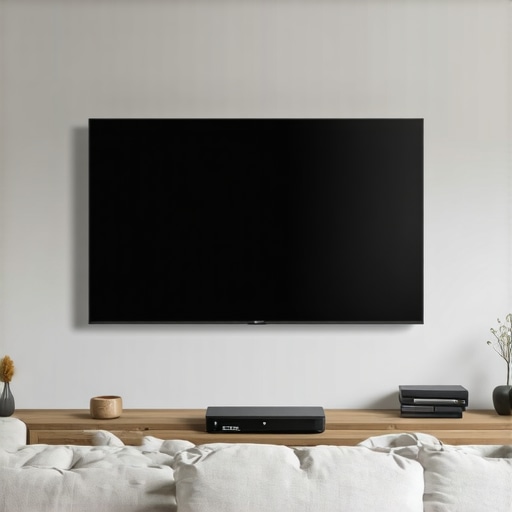
I walked into a ‘fully renovated’ kitchen where the flipper had buried live junction boxes behind the backsplash. I found them with my tracer, screaming behind three inches of subway tile. The homeowner just wanted some under-cabinet puck lights hooked up, but instead, we had to tear out tile to fix a fire hazard that was actively charring a stud. That is the reality of the amateur ‘flipper special’ mentality: hiding things behind drywall because it looks pretty, without a single thought for electrical code, accessibility, or safety. When you want to install a high-end audio-visual setup, your instinct might be to grab a drywall saw and start hacking holes to bury power lines and HDMI cables. Stop. Before you violate code and risk your home insurance policy, you need to understand that hiding cables isn’t just about cosmetics—it is about thermal management, shielding, and structural integrity.
The Forensic Breakdown: Why Buried Cables Become Thermal Traps
Let’s talk about the physics of what happens when you run cords behind a wall. A common mistake is running flexible appliance cords, like the heavy black power cable that came with your 75-inch OLED TV, directly inside a wall cavity. This is a direct violation of the National Electrical Code. Why? Because those cords are not rated for in-wall use. Inside a wall, there is no air circulation. The heat generated by the copper conductor under load cannot escape. Over time, this trapped heat degrades the outer jacket of the cord, leading to brittle insulation, cracks, and eventually, a high-resistance arc fault that can ignite the paper facing on your fiberglass insulation before a standard thermal-magnetic breaker even registers a spike in current.
“Flexible cords and cables shall not be used as a substitute for the fixed wiring of a structure… [and] shall not be run through holes in walls, structural ceilings, suspended ceilings, dropped ceilings, or floors.” – National Electrical Code (NEC) Section 400.12
Furthermore, running low-voltage HDMI, optical, or speaker cables right alongside 120-volt electrical Romex is a recipe for terrible AV performance. When you drape signal lines over high-voltage lines, the electromagnetic field from the alternating current induces a 60Hz hum into your audio channels and distorts your digital video signals. You get screen blackouts, audio drops, and general system instability. To prevent this, professional installers maintain a minimum of 12 inches of separation between power lines and data cables when running parallel, or they cross them at a clean 90-degree angle to minimize electromagnetic coupling.
Surface-Mounted Raceways: The Industrial-Grade Cosmetic Solution
If you want to keep your drywall pristine, your absolute best option is a high-quality surface-mounted raceway system. Do not confuse these with the cheap, flimsy plastic channels you buy at a dollar store. Professional-grade D-line raceways or metal Plugmold systems provide a rugged, impact-resistant channel that adheres securely to the surface of your drywall or screws directly into your studs. You can paint these raceways to match your exact wall color, making them virtually invisible unless you are looking directly at them.
When planning a raceway route, always drop vertically from the center of your wall-mounted screen straight down to your media console. If you must run cables horizontally along the floor, position the raceway directly on top of your existing baseboard and paint it the same semi-gloss white as the trim. This tricks the eye into seeing it as a decorative architectural detail rather than an electrical conduit. Ensure you use the proper corner fittings (inside elbows, outside elbows, and flat tees) rather than trying to bend cables around sharp 90-degree corners, which can pinch and damage delicate fiber-optic HDMI cables.
Crown Molding and Baseboard Channels: Hiding in Plain Sight
Another highly effective technique that avoids drywall damage is leveraging your home’s architectural woodwork. If your room features hollow-backed crown molding, you have an incredible natural conduit already built into your space. Specialized architectural molding systems are designed with hollow chambers behind the profile specifically for running low-voltage speaker wires and cat6 data lines. You can run wires up from your media cabinet inside a vertical surface raceway, transition into the crown molding, run them around the perimeter of the room, and drop them down exactly where your rear surround-sound speakers are mounted.
Similarly, split-member baseboards allow you to run low-voltage wiring behind a removable top cap. By removing the top portion of the baseboard trim, you can lay your speaker and subwoofer cables into a dedicated channel and snap the cover back on without pulling a single nail or touching a sheetrock saw. This keeps your signal lines clean, accessible, and completely safe from vacuum cleaner impacts or chewing pets.
The Critical Intersect: Power vs. Low-Voltage
Let’s make one thing absolutely clear: you cannot hide your TV’s main power cord inside a surface raceway if that raceway is not rated for high-voltage. If you want a truly clean look with absolutely no wires showing below the TV, you have two code-compliant paths. First, you can hire a licensed professional to install a recessed clock outlet behind your TV bracket. This involves tapping into an existing general-purpose outlet below and running a short length of NM-B (Romex) cable inside the wall cavity to a special recessed junction box. This is a permanent, code-compliant installation that allows the TV plug to sit completely flush with the wall.
Second, if you do not want any new in-wall wiring, you must use an ETL-listed in-wall power kit. These kits consist of two pre-wired boxes connected by a length of code-compliant NM-B wire. You cut two precise holes (one behind the TV, one near the floor outlet), pass the pre-wired assembly through, and secure the boxes to the drywall. The bottom inlet is then connected to your existing wall outlet using a specialized extension cord. This is legally classified as an appliance extension rather than permanent structural wiring, making it safe, code-compliant, and easy to remove if you ever sell the home.
Protecting Your Electronics and Your Home
Once you have organized and hidden your home theater cables, you must consider the electrical environment they are plugged into. High-end TVs, receivers, and subwoopers are packed with sensitive microprocessors that are highly vulnerable to voltage spikes. A nearby lightning strike or a utility switching event can destroy thousands of dollars of AV gear in a millisecond. Relying on a cheap power strip is a gambler’s game. To safeguard your investment, consider upgrading your home with a comprehensive electrical safety package. Investing in whole house surge protection at your main breaker panel is the only way to intercept massive high-voltage surges before they ever reach your living room electronics.
Furthermore, if your home is located in an older structure or a region prone to severe weather, you must ensure your electrical system is up to par. For homes that have experienced previous water damage, verifying flood water electrical safety is vital before plugging in heavy loads like amplifiers and active subwoofers. Always make sure your circuits are not overloaded; a dedicated 15-amp circuit is highly recommended for larger home theater systems to prevent annoying breaker trips when the bass hits. If you notice flickering lights or buzzing sounds from your outlets when your system is running, you may need a professional power quality analysis to diagnose loose neutrals or voltage sags that could damage your equipment over time.
The Professional Verdict: Sleep Soundly Knowing It Is Code-Compliant
At the end of the day, electricity is a force of nature that demands respect. Hiding cables isn’t just about aesthetics; it is about maintaining the fire-containment barrier of your drywall and preventing high-resistance thermal failures behind your walls. By using surface raceways, hollow crown moldings, or certified in-wall power kits, you achieve a sleek, floating-screen look without compromising the safety of your family or violating your home insurance policy. Do it right, torque your connections, respect the separation between power and data, and you will enjoy your home theater with absolute peace of mind.