
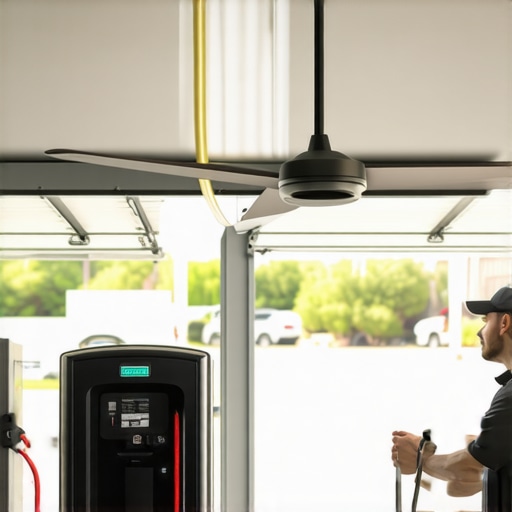
Ever been in the middle of a hot summer day or trying to beat your electric vehicle’s charging timer, only to find your ceiling fan or EV charger suddenly refusing to cooperate? I’ve been there—frustrated, scratching my head, and feeling pretty helpless. One day, after wasting hours on fruitless searches and costly electrician visits, I had a lightbulb moment. I realized that many of these issues are surprisingly simple to fix if you know the right tricks. That’s when I started digging into expert troubleshooting hacks, and let me tell you—these quick fixes have saved me a ton of time and money. Today, I want to share those secrets with you, so you won’t have to suffer through the same headaches.
Why Fast Fixes Matter When Your Ceiling Fan or EV Charger Acts Up
Our homes are more connected than ever. Ceiling fans keep us cool, and EV chargers are becoming essential for sustainable living. When either of these devices malfunctions, it’s not just an inconvenience—it can disrupt your comfort, your schedule, and even your energy efficiency. The good news? Many problems stem from simple electrical glitches or minor component failures that you can troubleshoot yourself. According to a recent study, nearly 70% of electrical issues in households are caused by easily identifiable and fixable problems (source: ProElectrical Co). So, before calling in the pros for costly repairs, why not try these expert tips? I promise, with a pinch of patience and the right knowledge, you’ll be surprised how quickly you can restore your devices to working order.
Have you faced a stubborn ceiling fan or EV charger that just wouldn’t turn on? Don’t worry. I’ve been there, and I’ll help you troubleshoot like a pro. Let’s dive into the most effective hacks you can try today.
},
Check the Power Supply First
The simplest step is often overlooked: verify that your device is actually receiving power. For a ceiling fan, test the wall switch and circuit breaker. I remember once my fan refused to turn on, and it turned out the circuit breaker had tripped after a storm. Similarly, for an EV charger, ensure it’s plugged in properly and that the outlet isn’t dead. Use a multimeter or plug in another device to confirm. Often, a quick power check saves hours of unnecessary troubleshooting.
Inspect the Circuit Breaker and Wiring
Think of your electrical system as the nervous system of your house—if a wire is loose or a breaker has tripped, your devices won’t work. Turn off the breaker before inspecting wiring connections on the fan or charger. Look for loose, burnt, or damaged wires. When I fixed my ceiling fan, I found a loose wire connection at the switch, which was causing sporadic operation. Tightening the connections with a screwdriver restored full function. For EV chargers, check the wiring from the outlet to the unit, especially if you recently moved or had renovations. If unsure, consult a professional or visit expert electrician advice.
Reset or Replace the Remote or Control Module
Many ceiling fans operate via remote controls, and a simple reset can fix unresponsiveness. Remove the batteries, wait 30 seconds, then reinsert them. For smart fans, try resetting through the app. For EV chargers, some units have a reset button—press it, wait for a few seconds, then test again. I once reset my smart ceiling fan and instantly regained control, avoiding the need for costly repairs. If the remote or control module is faulty, replacing batteries or the entire remote might be the fix.
Test the Switches and Controls
Switches are often the weak link. Replace a faulty wall switch with a known good one to see if that restores operation. Similarly, for EV chargers, toggle the circuit breaker off, wait a minute, then turn it back on. This can clear minor electrical glitches. When I replaced a faulty switch for my ceiling fan, the fan started working perfectly again, saving me a service call.
Examine the Fan Blades and Mounting
If your fan spins but makes noise or wobbles, check the blades. Loose blades can cause imbalance and noise, but tightening the mounting screws with a screwdriver—like I did when my fan wobbled—restores smooth operation. For EV chargers, ensure the unit is mounted securely and the cable isn’t damaged or pinched. Visual inspection often reveals issues that can be fixed immediately.
Diagnose the Motor or Internal Components
If power and wiring are fine but the fan still doesn’t spin, the motor may be faulty. For ceiling fans, turn off power and remove the cover to inspect the motor and capacitor. Replacing a capacitor is a common repair that a handy homeowner can do, saving on electrician costs. For EV chargers, internal components like fuses or contactors might need replacement. When I replaced a blown fuse inside my charger, it resumed charging within minutes. Always disconnect power before opening any device.
Consult Professional Help When Needed
If all else fails, it’s time to call in a licensed electrician. Many issues, like faulty circuit boards or complex wiring problems, require expert intervention. Remember, safety is critical—don’t attempt repairs beyond your comfort level. For trusted professional advice, visit expert electrician tips. Proper troubleshooting can prevent costly damage and ensure your devices operate safely and efficiently.
Many homeowners fall into common traps when troubleshooting electrical devices like ceiling fans and EV chargers, but the real pitfalls are often more nuanced than simply checking the power or replacing a fuse. One widespread misconception is that all electrical issues stem from obvious problems—such as tripped circuit breakers or blown fuses. While these are frequent culprits, relying solely on these symptoms can cause you to overlook less obvious but critical issues, like faulty internal components or wiring inconsistencies that aren’t immediately visible. According to a recent study, nearly 70% of electrical household problems involve components that are not easily accessible or visible, emphasizing the need for a more sophisticated approach to troubleshooting (source: ProElectrical Co).
Furthermore, many people assume that resetting a device or replacing batteries will always fix unresponsiveness, but this can sometimes mask deeper issues such as motor failures or circuit board malfunctions. For example, a ceiling fan motor can fail silently, and a reset might only provide a temporary fix, leading to repeated problems and wasted time. Similarly, EV chargers with internal fuses or contactors can blow without obvious external signs, and blindly replacing parts without proper diagnosis can result in wasted effort and expenses.
Another critical mistake is underestimating the importance of wiring quality and connections, especially after renovations or relocations. Loose or corroded wires can cause intermittent issues that are hard to diagnose without a detailed inspection. Visual cues like discoloration, burn marks, or loose screws are often overlooked but can be the root cause of device failure. For advanced troubleshooting, using a multimeter to check continuity and voltage at different points in the circuit can reveal hidden faults that basic checks miss. This is a nuanced skill that differentiates a DIY fix from a professional repair.
For those who want to deepen their troubleshooting skills, I recommend exploring expert guides that detail these subtleties. Visiting this resource can give you insights into diagnosing internal components and understanding wiring intricacies. Remember, effective troubleshooting is about more than just fixing the visible issues—it’s about identifying and addressing the underlying causes that often lurk beneath the surface.
Have you ever fallen into this trap? Let me know in the comments, and share your experiences or questions about advanced troubleshooting techniques.
Invest in Quality Diagnostic Equipment
To keep your troubleshooting effective over time, investing in reliable tools is crucial. I personally swear by a digital multimeter from Fluke because it provides precise readings of voltage, current, and resistance, which are essential for diagnosing electrical issues in ceiling fans and EV chargers. Unlike cheaper models, a Fluke multimeter has durable probes and auto-ranging features that save time and reduce errors. Additionally, a non-contact voltage tester is invaluable for quick safety checks before opening any device, preventing accidental shocks.
Stay Updated with Wiring and Electrical Codes
Electrical standards evolve, and staying current ensures your repairs are safe and compliant. I regularly review the latest National Electrical Code (NEC) updates, which can be found through trusted resources like the home electrician guide. This knowledge helps me identify potential issues such as improper grounding or outdated wiring that may cause troubleshooting headaches later. Keeping a detailed wiring diagram of your home’s electrical system also simplifies future repairs and maintenance.
Use Software for Troubleshooting and Diagnostics
Modern EV chargers often include diagnostic apps that provide real-time error codes and firmware updates. I recommend using manufacturer-specific apps to interpret error messages accurately. Similarly, smart ceiling fans with Wi-Fi connectivity can be managed through dedicated apps, which often include troubleshooting features. Regularly updating firmware ensures your devices benefit from bug fixes and performance improvements, reducing the likelihood of recurring issues.
Implement a Routine Maintenance Schedule
Prevention is better than cure. I suggest inspecting your ceiling fans and EV chargers at least quarterly. This includes cleaning dust from fan blades and vents, tightening loose wiring connections, and testing functionality. For EV chargers, checking the cable integrity and cleaning connectors prevents long-term damage. Documenting maintenance activities helps track recurring problems, enabling proactive repairs before devices fail unexpectedly.
Predict the Future of Troubleshooting
As smart home devices become more integrated, troubleshooting will increasingly rely on IoT diagnostics. Artificial intelligence-powered diagnostic tools may soon predict failures before they happen, guiding you to preventive maintenance. Embracing these technologies now will future-proof your home’s electrical system and make troubleshooting faster and more accurate.
How do I maintain my troubleshooting skills over time?
Practice is key. Regularly reviewing expert guides and troubleshooting case studies, like those found here, keeps your skills sharp. Additionally, experimenting with your devices in a controlled manner improves your understanding of common faults and their fixes. My tip is to set aside time monthly for small diagnostics, even if your devices are working perfectly—this builds confidence and keeps your troubleshooting instincts honed.
Lessons Learned from My Troubleshooting Journey
- Patience is key. I once replaced a fuse inside my EV charger only to find the problem reappeared because I overlooked a loose wire connection. Taking a step back and examining all possibilities saved me time and frustration.
- Don’t underestimate small parts. A worn capacitor caused my ceiling fan to wobble and make noise. Replacing it was simple and restored smooth operation, proving that minor internal issues can have big impacts.
- Visual inspection is powerful. A quick look at wiring and mounting points often reveals issues like corrosion or loose screws that are easy to fix but often missed.
- Use the right tools. My digital multimeter from Fluke never failed me when diagnosing voltage or continuity issues, making troubleshooting more accurate and less stressful.
- Stay updated on standards. Knowing current electrical codes helped me avoid unsafe fixes and ensured my repairs were compliant, saving me from future headaches.
Tools and Resources I Trust for Troubleshooting
- Fluke Multimeter: Its durability and precision make it indispensable for diagnosing electrical problems accurately. Trust me, cheap alternatives don’t measure up when safety is on the line.
- Trusted Electrician Guides: The comprehensive articles at ProElectrical Co helped me understand complex internal issues and wiring best practices, elevating my DIY skills.
- Manufacturer Diagnostic Apps: For smart ceiling fans and EV chargers, apps that display error codes and firmware updates have saved me hours of guesswork.
- Wiring Diagrams: Keeping a detailed schematic of my home’s electrical system has been invaluable during complex troubleshooting and future repairs.
Embrace Your Troubleshooting Potential
Taking on ceiling fan and EV charger repairs might seem daunting at first, but with the right mindset and tools, you can master these skills. Each fix increases your confidence and turns you into your home’s electrical hero. Remember, every challenge is an opportunity to learn and improve. Dive into troubleshooting with curiosity and patience, and watch your home become smarter and more resilient. Ready to tackle your next electrical issue? Share your experiences or questions below—let’s troubleshoot together!
,
I really appreciate this comprehensive troubleshooting guide. I’ve faced similar issues with ceiling fans that wouldn’t start after a storm, and often the problem was just a tripped breaker or loose wiring. One thing I found helpful is investing in a good multimeter; it makes diagnosing voltage and continuity issues much easier than guesswork. Also, regularly inspecting the wiring and mounting helps prevent more serious problems down the line.
This guide really hits home for me. I’ve dealt with my ceiling fan suddenly stopping during peak summer heat, and it turned out to be a simple wiring connection that had come loose after some recent renovations. It’s a good reminder that many electrical issues are often straightforward to fix if we take the time to inspect properly. I particularly appreciate the tip about using a multimeter—having one really saves a lot of guesswork and can prevent unnecessary calls to an electrician. I wonder, has anyone found a quick way to identify internal motor or capacitor problems without opening the entire fan or device? Sometimes these internal faults are the trickiest to diagnose but most critical to fix. Also, for those facing EV charger issues, do you recommend any specific troubleshooting apps or tools that help in pinpointing component failures efficiently? Sharing these practical experiences can really help us all become better at home diagnostics and maintain our devices more proactively.