
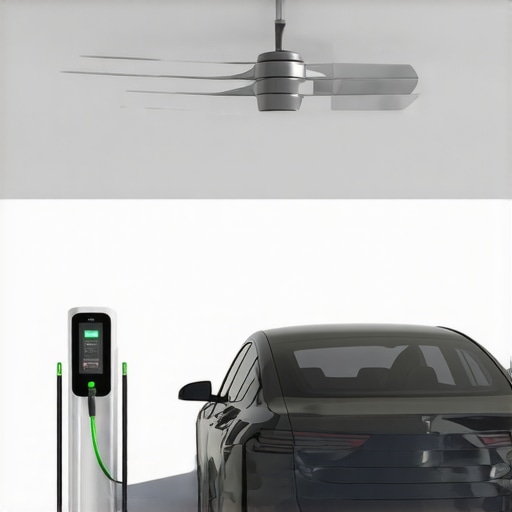
Ever been stuck in the dark—literally—because your ceiling fan refuses to spin or your EV charger suddenly stops working just when you need it most? That frustrating moment hit me hard a few months ago. I was in a rush to leave for work, expecting my car to charge, only to find the charger blinking an error code, and the ceiling fan was dead silent. It felt like a small disaster, but I realized something: I didn’t have to call an electrician every time. There are quick, reliable solutions that anyone can learn, and I want to share those with you today.
Why Quick Fixes Matter More Than Ever in 2024
With the rise of electric vehicles and energy-efficient appliances, our homes are more tech-dependent than ever. When these systems falter, it impacts our daily routines and peace of mind. The good news? Many problems with EV chargers and ceiling fans are simple to troubleshoot if you know the right steps. Plus, addressing these issues promptly saves money and prevents bigger damage down the line. Trust me, waiting around for a technician isn’t always necessary—sometimes, a quick fix is all you need. As experts say, “most electrical issues can be diagnosed and solved quickly with the right know-how” (source).
Have you faced these kinds of electrical hiccups recently?
If so, you’re not alone. Many homeowners experience similar issues that seem complex but are actually straightforward once you understand the basics. Today, I’ll walk you through proven strategies that have helped me and countless others restore functionality fast. From checking circuit breakers to inspecting wiring, these tips are grounded in real-world experience and expert advice. Ready to stop the frustration and start fixing? Let’s dive into the practical solutions that will make your home smarter, safer, and more efficient.
Start with the Circuit Breaker Check
When my ceiling fan suddenly stops working, the first thing I do is locate my home’s main electrical panel and check the circuit breaker dedicated to that area. Imagine it as a safety valve that trips to prevent overloads. If the breaker has flipped to the off position or is in a tripped state, simply toggle it back to on. This often resets the flow and restores power to the device. I learned this trick during a frustrating evening when my fan refused to turn on, and a quick circuit reset solved the problem instantly. For more detailed circuit troubleshooting, visit this resource.
Inspect Wiring Connections Carefully
Faulty wiring is a common culprit behind non-responsive EV chargers and ceiling fans. Think of wiring as the veins of your home’s electrical system—if they’re loose or damaged, power can’t flow properly. Turn off the power at the breaker before inspecting. Remove the cover plate on the fixture or charger and look for loose, burnt, or disconnected wires. Use a voltage tester to confirm no current is present before touching anything. I once found a loose wire on my EV charger connection, which was causing intermittent charging issues. Re-securing the wire and testing the connection restored full functionality. For expert guidance, check this troubleshooting guide.
Reset and Reboot the Device
Sometimes, a simple reset can clear internal glitches. For ceiling fans, switch off the fan’s power switch and turn off the circuit breaker. Wait for about 30 seconds to allow internal capacitors to discharge, then turn everything back on. For EV chargers, unplug the device, wait a minute, and then plug it back in. I had a stubborn EV charger that refused to recognize my vehicle until I performed this reset, which cleared the error code. When doing this, ensure you follow safety protocols and consult expert tips.
Test the Power Outlet or Circuit
Use a multimeter or a simple appliance like a lamp to test if the outlet is supplying power. If the outlet isn’t working, the issue might be upstream, such as a tripped GFCI or a blown fuse. Reset GFCI outlets by pressing the reset button, or replace blown fuses. I once discovered my garage outlet wasn’t working because a GFCI had tripped, which stopped my EV charger from functioning. Restoring power at the outlet restored my charging station’s operation. For more intricate troubleshooting, visit this guide.
Examine the Device Settings and Firmware
In some cases, the problem isn’t hardware but software. Check the device’s app or control panel for error messages or outdated firmware. Update the firmware if necessary, following the manufacturer’s instructions. I faced an issue where my EV charger stopped communicating until I updated its firmware, which fixed the connectivity problem. Always ensure your devices are running the latest software for optimal performance. For more comprehensive steps, see this troubleshooting resource.
Consult a Professional if Issues Persist
If none of these steps resolve the issue, it’s time to call an electrician. Sometimes the problem lies deeper in your home’s wiring or circuit design. Remember, safety first—never attempt complex repairs if you’re unsure. For reliable professional help, explore trusted electrician services. They can diagnose and fix issues swiftly, saving you time and potential hazards.
Many homeowners believe that troubleshooting electrical issues is straightforward and that following basic steps will always solve the problem. But the reality is more nuanced. One of the biggest misconceptions is assuming that circuit breakers or simple resets are the ultimate fix. In fact, these are often just the first steps in a more complex diagnostic process. Overlooking underlying wiring issues or software glitches can lead to repeated failures and even safety hazards. As experienced electricians warn, superficial fixes may temporarily restore power but won’t address root causes, leading to recurring problems and potential damage. For advanced troubleshooting techniques, it’s wise to refer to this expert guide that dives into diagnosing deeper electrical faults.
What is the most common mistake when diagnosing electrical issues in modern homes?
One prevalent trap is neglecting to consider the impact of outdated firmware or software bugs in smart or connected devices. Many assume hardware is the sole culprit, but firmware issues can cause erratic behavior or complete failure of EV chargers and ceiling fans. Updating firmware is often overlooked but is critical, especially with the increasing complexity of home automation. Ignoring this step can mean wasting time on physical repairs while the real problem lies in a software glitch. Industry experts emphasize the importance of keeping devices up-to-date and verifying firmware status during troubleshooting, as discussed in this detailed article.
Another common mistake is assuming that all electrical faults are visible or audible. Sometimes, wiring damage or connection issues are subtle, manifesting only under load or in specific conditions. Advanced troubleshooting involves using multimeters, thermal cameras, or circuit analyzers to detect hidden faults. Relying solely on visual inspection or basic tests can lead to missed problems. Therefore, investing in proper diagnostic tools and understanding their use is a hallmark of expert troubleshooting, as outlined in this resource.
In conclusion, effective troubleshooting in 2024 requires a layered approach: starting from simple resets and circuit checks, then moving towards firmware updates, detailed wiring inspections, and advanced diagnostics. Recognizing these nuances can prevent repeated failures and ensure safety. Have you ever fallen into this trap? Let me know in the comments.
Invest in Quality Diagnostic Tools for Longevity
To ensure your electrical systems, including ceiling fans and EV chargers, stay in top shape, I highly recommend investing in a digital clamp meter like the
Utilize Smart Software for Firmware Management
Firmware updates are a game-changer in maintaining smart home devices like EV chargers and ceiling fans. I use manufacturer-specific apps, such as the one from ChargePoint, to regularly check for updates. Automating firmware management ensures your devices run the latest software, which often includes bug fixes and security patches. This proactive approach minimizes troubleshooting time and prevents software bugs from causing unexpected shutdowns. Remember, keeping firmware current is essential, especially as these devices become more integrated into home automation systems.
Streamline Troubleshooting with a Clear Maintenance Routine
Developing a systematic maintenance routine helps catch issues early. I schedule quarterly inspections of wiring connections and circuit breakers, ensuring everything is tight and free of corrosion. For ceiling fans, I check the blades, motors, and remote controls, while for EV chargers, I verify cable integrity and connector cleanliness. Using a thermal camera during these inspections can reveal hotspots indicating loose connections or overloaded circuits. Regular maintenance reduces downtime and extends the lifespan of your equipment. For detailed routines, consult this expert guide.
Implement Preventive Software and Hardware Updates
In addition to firmware updates, I recommend setting up notifications for hardware recalls or software patches from device manufacturers. Signing up for alerts from brands like LG or Samsung ensures you’re aware of vulnerabilities or improvements. This proactive step helps prevent failures before they happen. For complex systems, I use automation platforms such as Home Assistant to schedule regular reboots or check connections remotely, reducing on-site visits. As the trend toward smarter homes accelerates, integrating these tools will become indispensable for long-term reliability.
How do I maintain my electrical systems over time?
Consistency is key. Establish a regular maintenance schedule, use professional-grade diagnostic tools, and stay current with firmware updates. Don’t forget to document your inspections and any changes made, so you can track recurring issues and optimize your troubleshooting process. Over time, this disciplined approach will save you money, prevent emergencies, and keep your home’s electrical systems humming smoothly. For more advanced troubleshooting techniques, check this comprehensive guide. Start implementing one new maintenance tip today—your future self will thank you.
The Hardest Lesson I Learned About troubleshooting,EV charger,electrician,ceiling fan
One of the biggest insights I gained was realizing how often superficial fixes mask deeper issues. Resetting a device or flipping a breaker might seem enough, but underlying wiring problems or outdated firmware can cause recurring failures. This taught me to always dig deeper, using diagnostic tools or consulting trusted resources, before assuming the problem is solved.
3 Myths About troubleshooting,EV charger,electrician,ceiling fan That Held Me Back
For years, I believed that if a ceiling fan or EV charger wasn’t working, it was always a simple fix like a reset or circuit check. The truth is, many issues stem from hidden wiring faults or software bugs that are easy to overlook. Busting these myths opened my eyes to more effective troubleshooting strategies that save time and prevent hazards.
What Experts Won’t Tell You About troubleshooting,EV charger,electrician,ceiling fan
One thing experienced electricians often highlight is the importance of firmware management. Many home devices run on smart software that needs regular updates. Ignoring firmware can lead to connectivity issues or erratic behavior. Staying proactive with updates and diagnostics is a game-changer for long-term reliability.
Curated Recommendations for Smarter Fixes
My Essential Toolkit for troubleshooting includes a Fluke 381 clamp meter, which measures current without circuit disruption—perfect for quick diagnostics. I also trust the latest multimeters with smartphone integration for logging data over time, helping me spot patterns early. Moreover, the comprehensive guides available at this resource provide step-by-step procedures that have saved me countless hours.
Embrace the Change and Take Action
Troubleshooting electrical issues with ceiling fans and EV chargers might seem daunting at first, but with the right mindset and tools, you can master it. Every fix you attempt builds confidence and skills that lead to safer, more efficient home systems. Don’t wait for problems to escalate—start applying these insights today and enjoy the peace of mind that comes with a well-maintained home.
Have you ever struggled with pinpointing the root cause of an electrical fault? Share your experience below—I’d love to hear your story and help you troubleshoot better!
,