
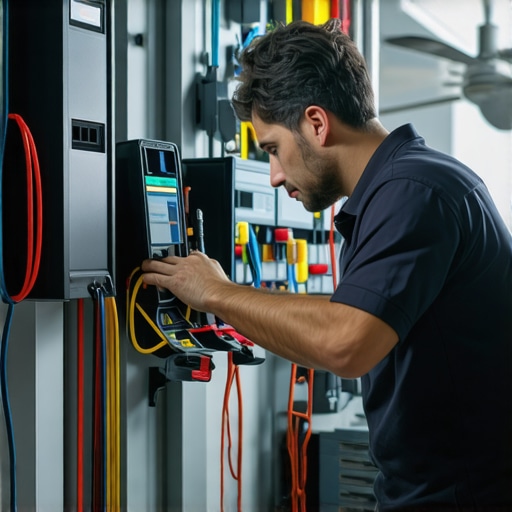
Ever had that sinking feeling when your EV charger or ceiling fan suddenly stops working just when you need it most? I’ve been there. One evening, my new electric vehicle was all set to charge overnight, but the charger refused to respond. Frustration set in, and I felt like throwing in the towel. It was a real wake-up call about how crucial quick, reliable troubleshooting is in today’s tech-driven homes.
Why Solving EV Charger and Fan Issues Fast Matters Now
With electric vehicles becoming a staple and smart home appliances more common than ever, the need for speedy fixes isn’t just about convenience. It’s about safety, cost, and keeping your daily routine on track. A malfunctioning charger or fan can turn into a bigger headache if not tackled swiftly, especially with the increasing complexity of modern electrical systems. The good news? There are proven electrician tricks that can help you diagnose and resolve problems quickly, saving you time, money, and stress.
Have you ever faced a stubborn EV charger or ceiling fan that just won’t cooperate? You’re not alone. Early on, I made the mistake of attempting a DIY fix without understanding the root cause, which only made things worse. Trust me, knowing the right troubleshooting steps from trusted sources like expert electrician tips can make all the difference. These tips are proven to work and can help you avoid costly repairs or dangerous mishaps.
In this guide, I’ll walk you through the most effective solutions for troubleshooting your EV chargers and ceiling fans. Whether it’s a loose connection, a faulty component, or a simple reset you need, I’ve got you covered. Ready to become your own troubleshooting hero? Let’s dive into the practical steps that will restore your devices in no time.
Check Power Supply First
Begin with the basics—inspect your circuit breaker. Imagine your electrical system as a highway; if a main fuse or breaker is tripped, all traffic (power) halts. I remember a time when my EV charger suddenly refused to power on, and after flipping the breaker back on, it started working again. If the breaker is fine, move to testing the outlet with a multimeter to ensure it supplies voltage. This step is critical because a faulty outlet can mimic more complex issues. For detailed guidance, visit expert electrical troubleshooting tips.
Reset Your Devices
Sometimes, a simple reset restores functionality. Unplug the EV charger or ceiling fan, wait about 30 seconds, then plug them back in. Think of this as rebooting your computer—it clears minor glitches. I once faced a ceiling fan that wouldn’t respond; after resetting, it spun to life. This quick fix is often overlooked but can resolve issues caused by temporary software hiccups. For more on effective resets, check home electrician tips.
Inspect and Tighten Connections
Loose wiring is a common culprit. Turn off power at the breaker, then carefully remove the device cover. Use a screwdriver to tighten all terminal screws and check for frayed or broken wires. I once found a loose wire behind my EV charger, which caused intermittent power issues. Tightening it fixed the problem instantly. Remember, safety is paramount—if you’re unsure, hire a professional. Learn more about secure wiring practices at electrician wiring tips.
Test and Replace Faulty Components
Use a multimeter to test components like fuses, relays, or capacitors. If a fuse is blown, replace it with one of the same rating. For relays or capacitors showing voltage irregularities, swap them out. I once replaced a faulty capacitor in my ceiling fan, which restored its speed and responsiveness. This step requires some technical know-how, but following detailed guides can help. For comprehensive troubleshooting, see top electrician tips.
Perform a Quick System Reset or Reboot
If your device has a reset button, use it. For smart devices, perform a soft reboot via the app or controls. This clears temporary glitches and often solves connectivity issues. I’ve had to reset my smart EV charger remotely, which was quick and effective. Remember, a system reset is a simple yet powerful troubleshooting step. Find more on this at electrician solutions for quick fixes.
Consider Professional Help for Complex Issues
If all else fails, don’t hesitate to call a licensed electrician. Problems like internal wiring faults or faulty circuit boards require specialized skills and equipment. I learned this the hard way when my troubleshooting attempts didn’t resolve a persistent issue. Professional electricians can perform advanced diagnostics safely and efficiently. For trusted assistance, visit reliable electrician solutions.
Many DIY enthusiasts and homeowners tend to overlook some critical nuances when troubleshooting electric vehicle (EV) chargers and ceiling fans. While basic steps like resetting and checking connections are essential, there’s a common misconception that these are always sufficient. In my experience, understanding the underlying complexities can save you from costly mistakes and safety hazards.
One of the biggest myths is believing that all problems are simply due to loose wiring or power supply issues. While these are frequent culprits, advanced issues like internal circuit board failures or compatibility problems with smart controls often go unnoticed. Rushing into replacing parts without proper diagnosis can lead to unnecessary expenses and even dangerous situations. For instance, a blown fuse might seem like a simple fix, but if the root cause is an internal short, replacing the fuse alone won’t resolve the issue and might pose a fire risk. It’s crucial to perform detailed testing of components using a multimeter and follow expert electrician tips, like those found at this comprehensive guide.
Why does resetting sometimes fail to fix complex issues?
This is a question often asked by advanced users. Resetting devices can clear temporary glitches but won’t address underlying hardware failures or wiring faults. For example, a smart EV charger configured incorrectly or with outdated firmware might require a firmware update or reconfiguration rather than a simple reset. Similarly, ceiling fans with integrated smart controls may need software updates or replacement of control modules. Relying solely on resets can be a trap, leading to frustration and prolonged downtime. To truly troubleshoot effectively, you should consider detailed component testing and, when necessary, professional diagnostics. For advanced troubleshooting strategies, check this expert advice.
Furthermore, many homeowners underestimate the importance of verifying proper compatibility between smart devices and their electrical systems. Incompatibility issues can cause intermittent failures that mimic wiring problems. Being aware of these nuances helps prevent unnecessary repairs and ensures a safe, reliable setup.
Have you ever fallen into this trap? Let me know in the comments. Remember, thorough testing and understanding the full scope of electrical systems are key to avoiding these common pitfalls and ensuring long-term success in troubleshooting your EV chargers and ceiling fans.
Invest in Reliable Testing Equipment
One of my go-to tools for maintaining and troubleshooting EV chargers and ceiling fans is a high-quality multimeter. I personally prefer digital models with auto-ranging capabilities because they save time and reduce errors during testing. I use it to verify voltage levels, check continuity, and test components like fuses and relays, ensuring all parts function correctly over time. For example, regularly testing the fuse in my EV charger prevents unexpected shutdowns and prolongs device lifespan.
Utilize Smart Monitoring Software
As smart home devices become more prevalent, I recommend investing in monitoring software compatible with your EV charger or fan. These apps provide real-time data on device performance, alert you to anomalies, and facilitate remote resets. I’ve found that setting up alerts for voltage drops or connectivity issues helps me catch problems early, avoiding costly repairs. Future trends suggest even more integration with AI-based diagnostics, making maintenance proactive rather than reactive.
Establish Routine Inspection Schedules
Consistency is key. I schedule a quick visual inspection of my devices every three months, checking for loose wires, dust buildup, or signs of wear. Tightening connections and cleaning contacts prevent many issues and extend equipment life. Maintaining a record of inspections also helps identify recurring problems, which can be addressed more efficiently over time.
Keep Spare Parts Handy
Having essential replacement parts like fuses, relays, or capacitors on hand minimizes downtime. I keep a small kit with these components, along with a basic screwdriver set, to perform quick repairs. Knowing exactly when to replace a part—based on testing results—saves me from unnecessary replacements and ensures devices keep working reliably.
Learn from Expert Resources
I regularly consult trusted electrician guides, such as this comprehensive troubleshooting guide, to stay updated on maintenance best practices. Incorporating their tips into my routine helps me prevent issues before they happen and keeps my systems functioning at peak performance.
What’s Next for Long-Term Maintenance
Looking ahead, I predict that advancements in IoT and AI will make device diagnostics even smarter. Automated systems may notify you of imminent failures or suggest maintenance tasks before problems escalate. To stay ahead, I encourage you to try implementing a monitoring app or smart diagnostics tool today. These investments can save you time, money, and frustration, ensuring your EV charger and fans keep working flawlessly for years to come.
Lessons from the Front Lines of Electrical Fixes
- One of the toughest lessons I learned was that rushing into parts replacement without proper diagnosis can turn a simple fix into a costly mistake. Patience and methodical testing save money and improve safety.
- I used to underestimate how much loose wiring could cause intermittent device failures. Now, I always double-check connections before trying more complex solutions.
- Understanding the internal components of my devices helped me identify issues like blown fuses or faulty relays more confidently. Knowledge truly is power when troubleshooting electrical problems.
The Tools That Turn Troubleshooting Into a Breeze
- High-quality multimeters are my go-to for verifying voltage and continuity. I trust brands that offer auto-ranging features because they reduce guesswork and errors.
- Smart monitoring apps provide real-time alerts and remote control options. They’ve saved me from unnecessary visits and caught issues early.
- Reliable spare parts kits with fuses, relays, and capacitors allow quick replacements, minimizing downtime. Knowing exactly when to swap parts makes all the difference.
- Trusted electrician guides like this comprehensive troubleshooting resource help me stay updated on best practices and avoid common pitfalls.
Take Action and Keep Your Home Running Smoothly
Don’t let electrical issues disrupt your routine. With the right knowledge, tools, and proactive maintenance, you can troubleshoot effectively and keep your EV charger and ceiling fan in top shape. The future of home automation is bright, and your skills can grow along with it. So, get started today—your home will thank you!