You hear it before you see it. That rhythmic, syncopated thump-tick-hiss emanating from the ceiling. Most homeowners ignore it, or worse, they think a little wobble is just ‘part of the charm’ of a high-speed fan. As a forensic inspector who has spent 35 years examining the charred remains of junction boxes and the structural failure of ceiling joists, that sound makes my skin crawl. It’s the sound of mechanical fatigue. It’s the sound of a 20-pound projectile waiting for its moment to succumb to gravity. If your fan is dancing like a drunken sailor, you aren’t just losing CFM (Cubic Feet per Minute) efficiency; you are actively vibrating your electrical connections loose. We’re going to fix it in five minutes, but first, you’re going to understand the physics of why it’s trying to kill you.
The Old Timer’s Lesson: Why the Nick Matters
My first journeyman, a grizzly guy named Frank who smelled like stale coffee and electrical tape, used to smack my hand with his dikes if I ever got sloppy with a wire stripper. I once tried to use a pocketknife to strip the Romex for a rough-in. He stopped the job and made me look at the copper under a magnifying glass. ‘You see that tiny line you scratched into the metal?’ he barked. ‘That’s a fracture line. In a static outlet, it might last fifty years. But you put that wire in a vibrating motor housing, like a high-speed fan, and that nick becomes a heat-sink. The vibration fatigues the copper at that exact point until it snaps, arcs, and burns the house down while the family is eating dinner.’ He was right. Every time I perform thermal imaging inspections on a wobbling fan, I see the heat signatures of stressed conductors long before the motor actually fails. The wobble isn’t just an eyesore; it’s a kinetic energy disaster.
“Boxes at ceiling fan outlets shall be marked by the manufacturer as being suitable for the sole support of a ceiling-fanned weight of not more than 70 lbs.” – NFPA 70, NEC Article 314.27(C)
Blueprint A: The Forensic Autopsy of a Wobble
Why do fans wobble? It’s rarely a ‘bad motor.’ It’s almost always a failure of physics—specifically, the balance of mass vs. aerodynamic lift. When one blade is even 1/8th of an inch out of alignment with the others, or carries three grams more dust, the centrifugal force at high RPMs shifts the center of gravity away from the vertical axis of the downrod. This creates a lateral ‘kick.’ At 200 RPM, that kick happens three times a second. That’s 10,800 micro-impacts per hour on your mounting bracket. Over time, this causes ‘cold creep’ in the mounting screws, where the metal actually deforms under the constant stress, loosening the entire assembly. This is why annual maintenance contracts for commercial properties always include fan torque checks; it’s a liability issue.
The Five-Minute Balancing Act
Before you touch the fan, perform a lockout tagout. I don’t care if you think the switch is ‘off.’ I’ve seen enough ‘ghost voltages’ and widow maker circuits to know better. Use your tick tracer to confirm the housing is dead.
Step 1: The Forensic Cleaning (60 Seconds)
You’d be amazed how many ‘broken’ fans I’ve fixed with a damp rag. Dust doesn’t accumulate evenly. It builds up on the leading edge and the top of the blades in clumps. A three-gram ‘dust-bunny’ on the tip of a blade acts like a lead weight at high speeds. Wipe them down. If the wobble persists, move to the hardware.
Step 2: The Torque Check (60 Seconds)
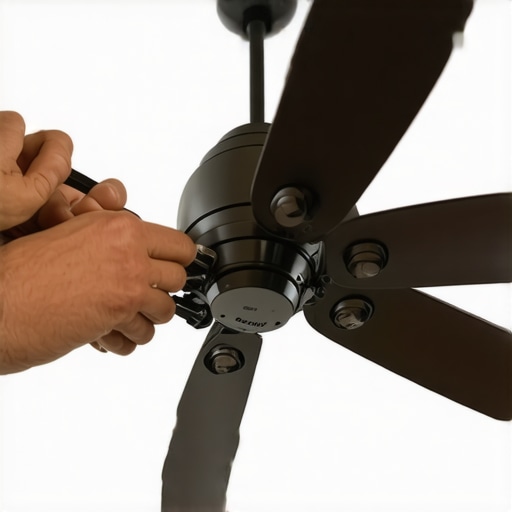
Grab your screwdriver. Check the ‘blade irons’—the metal arms holding the blades to the motor. If one screw has backed out a quarter turn, the blade pitch changes. If the pitch is different, one blade is ‘biting’ more air than the others, creating an aerodynamic imbalance. Torque them until they are snug, but don’t strip the threads. This is where most chandelier installation experts fail; they forget that fans are dynamic loads, not static ones.
Step 3: The Yardstick Test (60 Seconds)
Hold a yardstick against the ceiling and rotate the fan by hand. Mark the height where the tip of one blade passes the stick. Rotate the next blade to the same spot. If one blade is higher or lower than the others, the blade iron is bent. You don’t need a kit for this; you just need to gently—gently—apply pressure to the blade iron to bend it back into the vertical plane. This is about ‘tracking,’ just like the tires on your truck.
Step 4: The Balancing Clip (120 Seconds)
If it’s still wobbling, it’s a weight distribution issue. Use a plastic balancing clip (found in any $5 kit). Place the clip on the trailing edge of a blade, halfway down. Turn the fan on. Wobble worse? Move the clip to the next blade. Wobble better? Slide the clip along that blade—toward the tip or toward the motor—until the ‘sweet spot’ is found. Once the wobble disappears, peel the backing off the adhesive lead weight and stick it on the top-center of the blade at that exact longitudinal position. Remove the clip.
Infrastructure Context: From ADUs to Data Centers
In modern ADU electrical services, we see a lot of high-efficiency, high-speed DC motor fans. These are lighter but spin much faster than the old heavy cast-iron Ritz fans. Because they are light, they are incredibly sensitive to mounting. If you are installing a fan in an ADU or a data center power setup (yes, we use them for supplemental airflow), you must ensure the bonding jumper services are verified. A vibrating fan with a poor ground is a recipe for EMI (Electromagnetic Interference) that can wreck sensitive data equipment or trip AFCI breakers in a residential setting. If you’re living in an older home and doing knob and tube removal, ensure you aren’t just hanging a new fan on an old pancake box held up by two rusted nails. That is a ‘time bomb’ scenario. Always upgrade to a fan-rated braced box that spans the joists. It’s the difference between a cool breeze and a trip to the ER.
“Ceiling fans that are inadequately secured can fall, causing serious head injuries or death. Always ensure the outlet box is specifically listed for fan support.” – CPSC Safety Alert 516
The Master’s Conclusion
Electricity is lazy; it wants to find the shortest path to ground. Vibration is the enemy of that path because it introduces air gaps, and air gaps lead to arcing. Whether you are doing a holiday light installation or a whole house fan wiring job, the principle is the same: mechanical stability equals electrical safety. Don’t let a wobbling fan stay that way. Five minutes of balancing can save you from a forensic inspector like me showing up to your house with a Wiggy and a fire marshal. Torque those screws, balance those blades, and sleep at night knowing your ceiling isn’t trying to shake itself apart.