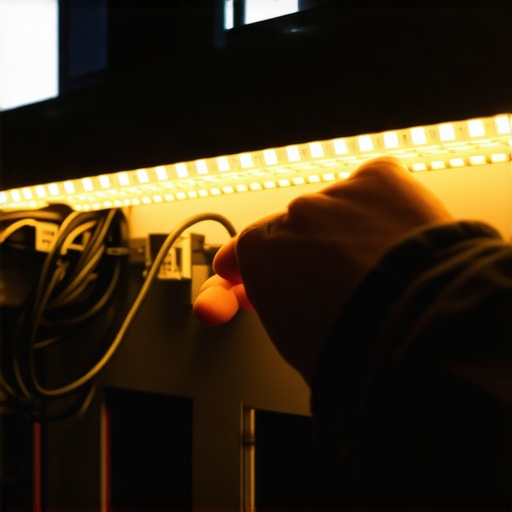
The Phantom Flicker in the Dark
You spent thousands on a high-end projector, acoustic paneling, and plush leather seating. But the moment you dim the room for movie night, your low-voltage LED accent lighting starts to dance. It is not a dramatic, strobe-light flicker, but a high-frequency, jittery pulsing that eats at your eyes and ruins the immersion. Most homeowners blame a cheap LED strip, throw it in the trash, and buy another identical roll off the internet, only to face the same maddening result. As a licensed master electrician with 35 years of chasing stray current and melted insulation, I can tell you right now: the issue is rarely the tape light itself. The issue is your power delivery system.
I once opened an architectural ceiling pocket in a high-end media room where the low-voltage driver was humming like a disturbed hornet nest. The drywall around it was scorched brown, and the plastic casing of the driver was literally dripping onto the framing. The installer had crammed a non-dimmable driver onto a standard phase-cut dimmer and buried it inside an unventilated cavity. The heat was radiating at over 190 degrees Fahrenheit. The family sleeping on the other side of that wall was one draft away from a catastrophic structural fire. That is what happens when you treat low-voltage lighting like a plug-and-play toy rather than a precise thermodynamic system.
The Anatomy of Low-Voltage Distortion
To understand why your LED strips are acting up, we have to look at the physics of solid-state lighting. Unlike traditional incandescent bulbs that glow by heating a filament (which naturally smooths out minor voltage fluctuations through thermal inertia), Light Emitting Diodes (LEDs) are instant-on, instant-off semiconductor devices. If the incoming current fluctuates even a microsecond, the light output responds instantly. This makes them highly sensitive to power quality issues, electromagnetic interference, and voltage drop.
“Because LEDs are low-voltage, direct-current devices, they require a driver to convert incoming alternating current (AC) to direct current (DC). Incompatible dimming controls or poor driver design can result in visible flicker, audible hum, or premature component failure.” – Underwriters Laboratories (UL) Safety Briefing
Let us zoom in on the primary culprit: Pulse-Width Modulation (PWM) vs. Constant Current Reduction (CCR). Most home theater LED strips use PWM to dim. Instead of lowering the voltage, PWM rapidly switches the power on and off thousands of times per second. If your driver is failing, or if there is electrical noise on your circuit, that switching frequency drops into the human eye’s perceptible range (below 200Hz). Suddenly, your cinematic masterpiece is ruined by a strobe effect that causes headaches and eye strain.
The Infrastructure Context: Modern High-Load Homes
If you are living in a home built or upgraded within the last twenty years, your home theater is likely sharing a wall with high-draw appliances. Modern homes are packed with switch-mode power supplies—computers, gaming consoles, variable-speed HVAC compressors, and smart appliances. These devices introduce harmonic distortion back into your electrical panel. This distortion degrades your power factor (the ratio of real power flowing to the load over the apparent power in the circuit). When your power factor is garbage, your low-voltage drivers suffer. You might need a professional to assess your system with power factor correction strategies or perform thermal imaging inspections to see if your home theater circuit is overheating at the breaker panel due to harmonic currents.
The Forensic Breakdown: Why Your LEDs are Flickering
Let us diagnose this like an inspector on a forensic call. Grab your tick tracer and your multi-meter. Here are the three most common reasons your luxury home theater lights are acting like a cheap neon sign at a dive bar:
- Voltage Drop Over Thin-Gauge Wire: LED strips run on 12V or 24V DC. Because the voltage is so low, resistance in the wire is incredibly punishing. If your driver is mounted in the utility room 50 feet away, and the installer ran cheap 22-gauge speaker wire to the strip, the voltage will drop significantly by the time it reaches the LEDs. This starving of current causes the onboard controller to constantly reboot, creating a rhythmic flicker.
- Driver-Dimmer Incompatibility: This is the classic mistake. You cannot run a standard triac dimmer (designed for resistive loads like incandescent bulbs) with a capacitive LED driver unless that driver is explicitly rated as a magnetic low-voltage (MLV) or electronic low-voltage (ELV) dimmable unit. When you try to choke the AC voltage to a non-dimmable driver, its internal capacitors frantically try to fill the power gap, leading to wild oscillation and flashing.
- Induced AC Ripple (The Parallel Run Trap): If the installer ran your low-voltage LED signal wires parallel to 120V Romex lines inside the wall without proper shielding or spacing, the alternating magnetic field of the high-voltage wire will induce an AC voltage onto your clean DC lines. This is called crosstalk, and it injects a 60Hz hum directly into your light output.
How to Fix the Flicker: The Master Electrician’s Protocol
Do not call a weekend handyman who will try to patch the issue with electrical tape and prayers. Fixing this requires a systematic approach to code-compliant power distribution. If you want pristine, cinema-quality ambient light, follow this protocol.
Step 1: Relocate and Spec the Driver
Get the driver out of the wall cavity. Low-voltage drivers must be housed in an accessible, ventilated metal junction box. If you are running a high-wattage strip for recessed lighting installation accent channels, upgrade from a 12V system to a 24V or 48V system. Higher voltage means lower current (amperage) for the same wattage, which slashes your voltage drop by half and allows for much longer wire runs without flickering.
Step 2: Clean Up the Input Power
If your home theater suffers from voltage dips when your AC kicks on, your main electrical service might be running out of headroom. A service entrance upgrade to a 200-amp or 400-amp system ensures that high-draw appliances do not starve your sensitive electronics. For immediate relief, isolate your home theater equipment and lighting onto a dedicated circuit. Run a clean “home run” of 12/2 solid copper Romex directly from a brand-new breaker to your theater power conditioner.
Step 3: Shield Your Low-Voltage Runs
When running DC power from the driver to the LED strips, use shielded, twisted-pair wire (such as CL2-rated security wire). Ground the drain wire of the shield only at the driver end to prevent ground loops. This blocks any electromagnetic interference from nearby high-voltage lines, keeping your DC signal flat and stable.
“Every electrical connection must be torqued to manufacturer specifications. Loose connections at the terminal block introduce resistance, generate heat, and create voltage fluctuations that ruin solid-state lighting drivers.” – NEC Article 110.14(D)
When to Call the Professionals
Low-voltage wiring might seem harmless because it will not knock you across the room like 240V utility power, but the fire risk is real. A short circuit on a 24V, 10-amp LED driver can easily heat up a thin wire to over 1000 degrees Fahrenheit without ever tripping the primary circuit breaker. If you smell a hot, fishy, plastic odor, or if your dimmers are warm to the touch, shut off the breaker immediately. Whether you need an emergency diagnostic run during holiday emergency calls, or want to schedule a comprehensive evaluation, call a licensed master electrician. Do not gamble your home’s safety on a DIY YouTube tutorial. Get it inspected, get it torqued to spec, and sleep soundly knowing your cinema room is as safe as it is spectacular.