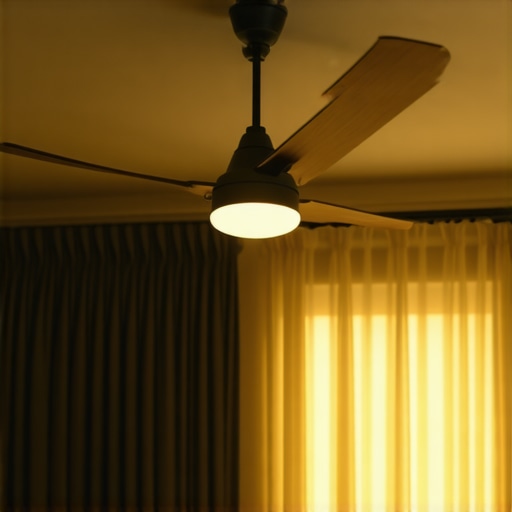
The Autopsy of a Dead Breeze: Why Your Fan is Failing
I remember my journeyman, a grizzly old guy who smelled like stale coffee and electrical tape, smacking my hand with a pair of dikes because I used a pocket knife to strip a conductor. ‘You nick that copper, you create a hot spot,’ he’d bark. He wasn’t just being a cranky old-timer; he understood that in the electrical trade, the smallest physical imperfection leads to thermal failure. I see that same negligence every time I’m called for lighting installation services where a homeowner complains that their fan is spinning like a centrifuge but moving zero air. They think they need more speed. They don’t. They need a forensic look at the physics of air displacement and the integrity of their rough-in.
“Aluminum wire connections can overheat and cause a fire without tripping the circuit breaker.” – CPSC Safety Alert 516
When I walk into a house built in the late 70s, I’m not just looking at the fan; I’m looking for the Home Run back to the panel. If you have aluminum branch circuit wiring, your fan’s performance might be the least of your worries. Aluminum has a high coefficient of thermal expansion, a phenomenon known as ‘Cold Creep.’ Every time you flip that fan on, the terminals expand and contract, loosening the screws. A loose connection increases resistance. Resistance creates heat. Heat robs the motor of the torque it needs to fight the air. You might see the blades spinning, but if the motor can’t maintain the ‘slip’ required for induction, you’re just wasting kilowatt-hours.
The Aerodynamics of Dirt: The Boundary Layer Problem
People underestimate the impact of a millimeter of dust. From a forensic perspective, dust on a leading edge changes the laminar flow into turbulent chaos. Instead of the blade slicing the air and pushing it downward in a cohesive column, the dust creates drag. This is basic fluid dynamics. The motor has to work harder to overcome the friction of the dust, generating heat that I can see clearly during drone thermography scans. When I fly a thermal camera over a commercial restaurant kitchen electrical inspection, the fans with dirty blades glow like a Widow Maker circuit. Cleaning the blades isn’t just about aesthetics; it’s about restoring the airfoil’s ability to create a pressure differential.
Component Zooming: The Capacitor’s Silent Failure
The most common culprit for a ‘lazy’ fan is the start/run capacitor. Most ceiling fans use a permanent split capacitor motor. If that capacitor loses its microfarad rating—which happens as the dielectric fluid inside breaks down over a decade of service—the phase shift between the start and run windings narrows. This drops the motor’s torque off a cliff. The fan might hit its rated RPMs, but it has no ‘meat’ behind it. As soon as those blades hit the resistance of the air, the motor bogs down. If your fan feels like it’s just ‘stirring’ the air rather than moving it, I’d bet my Wiggy that your capacitor is leaking more than just voltage. This is why our lifetime workmanship guarantee matters; we don’t just hang a fixture; we verify the circuit’s impedance.
The Geometry of the Ceiling Gap
Physics dictates that for every cubic foot of air pushed down, a cubic foot must be pulled from above. If your fan is flush-mounted to an 8-foot ceiling, you’ve created a choke point. This is ‘static pressure.’ Without at least 12 inches of clearance from the ceiling, the blades are trying to pull air through a vacuum. It’s like trying to breathe through a straw while running a marathon. You want to move more air? Drop the fan on a 6-inch downrod. This allows the air to wrap around the top of the blades, creating the vortex necessary for true circulation. I’ve seen this in data closet organization projects where airflow is life or death for servers; the same rules apply to your living room.
“To provide adequate support, a ceiling fan must be supported by an outlet box or an outlet box system that is listed for the support of a ceiling fan.” – NFPA 70: National Electrical Code (NEC) 314.27(C)
The Pitch of the Blade: Angle vs. Drag
Most cheap fans found at big-box retailers have a blade pitch of about 10 to 12 degrees. They do this because their cheap, undersized motors can’t handle anything steeper without burning out. A professional-grade fan has a pitch of 14 to 16 degrees. This steeper angle bites into the air. However, if you try to bend the brackets on a cheap fan to increase the pitch, you’ll likely introduce a wobble that will eventually vibrate the Rough-in box loose. If you’re looking for real performance, check for rebate assistance programs that incentivize high-efficiency DC motor fans. These motors have significantly more torque and can handle aggressive blade pitches without breaking a sweat or humming like a transformer.
Advanced Diagnostics and Troubleshooting
In modern high-end installs, we use augmented reality troubleshooting to map the airflow in a room before we even drill a hole. This ensures that the fan isn’t fighting against your HVAC registers. If your fan is positioned directly over an AC vent, the two air streams can cancel each other out, creating a dead zone. We also look at the ‘wobble’ factor. A wobbling fan isn’t just annoying; it’s converting kinetic energy that should be moving air into mechanical vibration that’s destroying the bearings. I use a Tick Tracer to ensure the grounding path is solid, because an ungrounded fan can actually build up a static charge on the blades that attracts more dust, leading back to the friction issues I mentioned earlier.
For those dealing with an insurance claim electrical work scenario after a power surge, the fan motor is often the first thing to go. The delicate windings in these motors don’t take kindly to voltage spikes. If you notice a fishy smell or a slight buzzing, that’s the sound of the varnish on the copper windings melting. That’s a 24 hour emergency electrician situation. Don’t wait for the smoke detector to tell you there’s a problem. Torque your terminals, clean your blades, and understand that air movement is a matter of mechanical leverage, not just raw speed.
The Master’s Checklist for Maximum Airflow
- Check the Direction: Ensure the fan is spinning counter-clockwise in the summer. If it’s pushing air up, you’re just heating the ceiling.
- Clean the Leading Edge: Use a microfiber cloth. Any texture on that blade edge destroys the airfoil’s efficiency.
- Verify the Downrod: If you have the clearance, get that fan 12 inches away from the ceiling to reduce static pressure.
- Inspect the Capacitor: If the fan takes more than 3-5 seconds to reach full speed, the capacitor is dying. Replace it.
- Balance the Blades: Use a balancing kit to stop the wobble. A steady fan moves more air than a vibrating one.
If you’ve done all this and still feel like you’re sitting in a stagnant swamp, it’s time to stop looking for DIY hacks. You might need a landscape lighting install for your patio or a full electrical upgrade, but for the fan, the solution is usually found in the physics of the install. Don’t let a ‘handyman’ with a ladder and a prayer touch your restaurant kitchen electrical or your home’s infrastructure. Get it done by someone who knows what ‘torqued to spec’ actually means. Your safety, and your breeze, depend on it.