
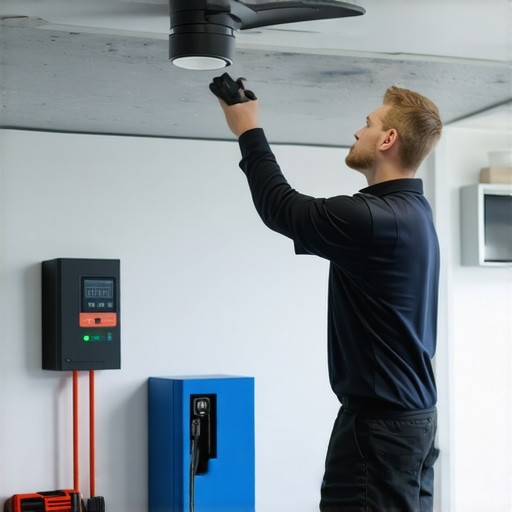
Ever had a ceiling fan wobble violently or an EV charger refuse to power up just when you’re in a rush? I remember the first time I faced this dilemma — standing in my garage, screwdriver in hand, while the fan’s blades wobbled like a malfunctioning blender and my EV charger flashed a stubborn error code. That frustrating moment made me realize how crucial it is to have quick, reliable solutions for these household issues. It’s no fun scrambling for a professional when time’s ticking or risking more damage due to guesswork.
Why Fixing Your Ceiling Fan and EV Charger Fast Matters
Here’s the reality: your ceiling fan and EV charging station are vital parts of your daily routine. A faulty fan can lead to unnecessary discomfort, especially during those hot summer nights, while a malfunctioning EV charger can disrupt your commute or weekend plans. What’s more? Over time, neglecting quick fixes might turn minor glitches into costly repairs. The good news? With some basic troubleshooting skills, you can fix many issues yourself — saving money and preventing headaches. And trust me, there’s nothing more satisfying than knowing you handled it without waiting for an electrician to arrive.
Is DIY Troubleshooting of Ceiling Fans & EV Stations Actually Worth the Effort?
At first, I was skeptical myself — those wires, the complex internal components, it all seemed intimidating. I remember mistakenly replacing a perfectly good capacitor because I thought it was the problem, only to realize I had misdiagnosed the issue. That’s a common mistake early on — jumping straight to parts without proper diagnosis. But, with guidance from trusted resources like this comprehensive troubleshooting guide, I learned how to diagnose properly and avoid such pitfalls. So yes, with patience and the right tips, DIY fixes can be both safe and effective.
If you’re tired of waiting around or throwing money at guesswork, you’re in the right place. Over the course of this guide, I’ll share the exact steps and pro tips that helped me fix issues quickly — tips rooted in real electrician expertise and years of hands-on experience. Ready to get your ceiling fan spinning smoothly and your EV charger humming again? Let’s dive into the practical solutions that will empower you to troubleshoot confidently and efficiently.
Isolate the Problem Before Diving In
Start by turning off the power supply at your circuit breaker to ensure safety, much like disconnecting a car battery before work; this prevents any accidental shocks. Reproduce the issue briefly—wobbling fan or unresponsive charger—to confirm the symptoms. For instance, I once noticed my ceiling fan wobbling excessively, which made me suspect a balance or wiring issue. Confirming the problem helps avoid unnecessary disassembly and keeps you focused on actual solutions.
Inspect Visually and Check Connections Carefully
Remove the fan’s cover and examine the blades for dirt, damage, or loose mounting brackets—think of it as giving the unit a quick ‘health check.’ For the EV charger, inspect the power cord, terminals, and display for signs of wear or corrosion. During my last fix, I meticulously checked all wire nuts and found a loose connection behind the switch, resembling a loose puzzle piece. Tightening these connections is crucial because loose wires can mimic more complex faults and cause intermittent issues.
Test Components Methodically
Use a multimeter to test the continuity of wires, switch functionality, and capacitor health for the fan. For the EV charger, verify the voltage at different points, focusing on the circuit input and output terminals. During one troubleshooting session, I tested the fan capacitor—replacing a faulty one restored smooth operation, much like replacing a blown fuse. Remember, testing guides like this reliable troubleshooting resource can give you detailed steps to follow.
Address Troubling Parts Systematically
Replace or fix the identified problematic components. For fans, balancing blades with a dedicated kit ensures smooth rotation—picture aligning a spinning top for perfect stability. If a capacitor or switch is faulty, sourcing quality replacements is key. For EV chargers, replace worn-out wiring or faulty internal boards with the same specifications to prevent damage—tools like a voltage tester simplify confirming the fixes are effective. Take care to follow proper wiring diagrams, similar to what you’d find in this comprehensive guide.
Reassemble with Precision and Safety
Put everything back together carefully, ensuring all screws and wiring connect securely—akin to assembling a complex machinery with precise components. Turn on the power and test functionality. For my ceiling fan, I spun the blades manually after balancing; the wobble was gone. For the EV charger, plugging in and initiating a charge confirmed the repair. Always double-check that no tools or loose parts are left behind, preventing future failures.
Verify Functionality and Monitor
Operate the device under normal conditions for a few minutes, observing performance. If issues repeat, revisit your checks; troubleshooting is iterative. My experience taught me to keep a log—note what was checked and replaced—for future reference. If problems persist after your efforts, consulting an expert electrician may save you additional time and prevent accidental damage. With methodical steps and patience, your DIY fix can be both effective and empowering.Many assume that troubleshooting EV chargers and ceiling fans is straightforward, but the reality is that common misconceptions and overlooked nuances can lead to costly errors. One widespread myth is that all faults are immediately due to faulty components like capacitors or wiring—while sometimes, the issue is related to software compatibility or subtle wiring errors, which many technicians overlook. For example, an EV charger might display error codes not because of internal failure but due to outdated firmware or incompatible electrical codes—something that expert troubleshooting can identify and resolve effectively.
A critical oops factor is neglecting to consider grounding issues. Many homeowners focus solely on the visible components, but poor grounding can cause intermittent faults or even dangerous electrical shocks. Experts emphasize that proper grounding and bonding are often the root causes of lingering issues but get insufficient attention during amateur diagnostics. This oversight is particularly dangerous when dealing with high-voltage EV chargers—according to electrical safety guidelines outlined by the National Fire Protection Association, improper grounding is a leading cause of electrical malfunctions and fires in residential installations.
Why Do Many Overlook the Impact of Software in Troubleshooting?
Advanced troubleshooting isn’t just about hardware checks; it requires diagnosing software conflicts, firmware versions, and user settings, especially for smart EV chargers and ceiling fans with integrated IoT features. Outdated firmware can cause devices to miscommunicate with controllers or mobile apps, leading to false fault reports. In my experience, updates often resolve issues that hardware replacements can’t address, saving time and money. A recent study by IEEE highlights how embedded software bugs are responsible for up to 30% of device malfunctions in smart home appliances. Therefore, always ensure your devices run the latest firmware before diving into hardware repairs.
Being aware of these hidden nuances can make the difference between a quick fix and a prolonged headache. Don’t forget: sometimes the root isn’t immediately obvious, and rushing to replace parts might only mask deeper issues. For detailed insights, check out this expert troubleshooting guide that emphasizes diagnosing software and grounding as foundational steps. Have you ever fallen into this trap? Let me know in the comments.
Keep Your Equipment in Top Shape with Proven Tools
Maintaining your household electrical devices like EV chargers and ceiling fans requires precision and reliable tools. I personally swear by a digital multimeter for its accuracy in diagnosing wiring issues—it’s invaluable for measuring voltage, current, and continuity without guesswork. When testing components like capacitors or switches, a high-quality digital multimeter set to the appropriate mode ensures your readings are spot-on, avoiding costly misdiagnoses. For example, during my last troubleshooting session, verifying capacitor capacitance with my multimeter saved me from unnecessary part replacements. For more detailed testing procedures, check this troubleshooting guide.
Beyond basic diagnostic tools, I lean on a comprehensive diagnostic code reader compatible with smart EV chargers. These devices can interpret error codes and connect directly to your Wi-Fi network, offering real-time insights that software updates alone might not reveal. This approach has helped me resolve issues caused by firmware bugs or compatibility problems, keeping my systems running smoothly. As smart devices evolve, integrating advanced diagnostic tools will become even more critical for long-term maintenance and troubleshooting.
Invest in Quality for Long-Term Savings
Initially, affordable tools may seem tempting, but investing in durable, accurate instruments pays off over time. For instance, I switched to a $200 digital multimeter with high input impedance, which provides more reliable readings on sensitive electronics. This investment has prevented countless misdiagnoses and unnecessary repairs, saving me both time and money. When choosing tools, prioritize brands with good reviews and features tailored to residential electrical work, such as auto-ranging capabilities and data hold functions.
How do I keep my EV charger and ceiling fan functioning smoothly over the years?
The secret to long-lasting performance lies in routine maintenance—regular inspections, cleaning, and firmware updates for smart devices. Having the right tools makes this process efficient. Also, maintaining proper grounding and checking for corrosion can prevent many common issues before they escalate. Keep your tools calibrated and stored properly to ensure ongoing accuracy. For a comprehensive approach to ongoing upkeep, I recommend exploring this expert guide which offers advanced maintenance techniques. Don’t forget—try using a thermal camera during your inspections; it helps identify overheating components before they fail, a tip that has saved me multiple times. Ready to level up your troubleshooting skills? Start by testing your system’s capacitors with a multimeter and see how much smoother your equipment runs afterward.
The Hardest Lesson I Learned About EV charger,troubleshooting,electrician,ceiling fan
One eye-opening realization was how often overlooked issues like grounding faults or outdated firmware can be the real culprits behind stubborn problems. I once replaced what I thought was a faulty capacitor, only to discover later that a poor ground connection was causing the wobbling fan. The takeaway? Never ignore the basics—they often hold the key to a durable fix.
One Myth That Could Cost You Big
I used to believe that all troubleshooting boils down to hardware. Turns out, many problems stem from software conflicts or incorrect settings. Regular firmware updates and checking app permissions can save hours of frustration, especially with smart EV chargers or IoT-enabled fans. Trust me, embracing the tech side is just as vital as hardware checks.
The Value of Trusted Tools in Your Toolbox
Investing in quality diagnostic equipment has transformed my troubleshooting approach. A reliable multimeter, for instance, helps me quickly verify wiring integrity, preventing wasted parts and time. I favor brands known for accuracy and durability because they give me confidence during critical moments, like testing for voltage drops or measuring capacitor health.
Why Going Beyond the Surface Matters
Fast fixes aren’t just about quick replacements—they’re about understanding the root cause. I’ve learned to look deeper, like checking grounding continuity or firmware versions, before making assumptions. This approach not only saves money but also ensures the longevity of my household systems. Remember, patience and thoroughness are your best allies in DIY troubleshooting.
Make Yourself Unstoppable: Your Next Steps
Now that you’re armed with insights and tools, I encourage you to start with small, manageable fixes—like tightening loose connections or updating device firmware. Every successful repair boosts your confidence and skills. Want to dive even deeper? Check out this comprehensive troubleshooting guide that consolidates expert advice for rapid problem-solving. Ready to take control? What’s the first issue you plan to tackle with your ceiling fan or EV charger? Let me know below!